
Are you certain your perfectly crafted Amazon listing is being fully displayed to potential customers? In the competitive Amazon marketplace, every character counts, and exceeding platform limits can mean your most persuasive copy gets cut off, rendering your optimization efforts useless. Using a character counter is a simple but critical step to ensure your message is delivered completely and effectively.
To use an Amazon listing character counter tool, you simply copy the text from your product title, bullet points, or description and paste it into the tool. It instantly analyzes the content and provides an exact character count, allowing you to verify that your copy fits within Amazon's strict limits. This process prevents unwanted truncation, improves listing quality, and helps you maximize the space available for crucial keywords and sales-driving information.
Why You Need a Character Counter for Amazon Listings
Relying on guesswork for your listing's character count is a risk that profit-focused sellers can't afford. Amazon has strict, non-negotiable character and byte limits for different sections of a product detail page. If your title or a key feature bullet point exceeds this limit, the platform will automatically truncate it, often leaving shoppers with an incomplete, confusing, and unprofessional-looking message. This directly impacts customer perception and can significantly lower your conversion rate.

Beyond simply avoiding truncation, using a character counter is a strategic practice. It forces you to be concise and impactful with your language. Every character is a valuable piece of real estate that can be used to integrate a high-value keyword, communicate a key benefit, or answer a potential customer question. By knowing your exact count, you can confidently use every available character to create a fully optimized listing that attracts, informs, and converts shoppers, ultimately driving your brand's growth from seven to eight figures.
How to Use an Amazon Character Counter in 4 Simple Steps
Integrating a character counter into your listing creation workflow is a straightforward process that pays significant dividends. By following these four steps, you can ensure every field in your Amazon listing is perfectly optimized for both the algorithm and your customers. This simple habit helps build a foundation for high-performing, professional product pages.
Step 1: Choose a Reliable Online Character Counter
The first step is to select a dependable tool. A quick search reveals dozens of free options, but a good online character counter designed for sellers should display counts for characters (with and without spaces), words, and ideally, bytes. Amazon's limits for certain fields, like backend search terms and bullet points, are measured in bytes, not characters, which is a critical distinction. Using a tool that shows all these metrics prevents any compliance issues.
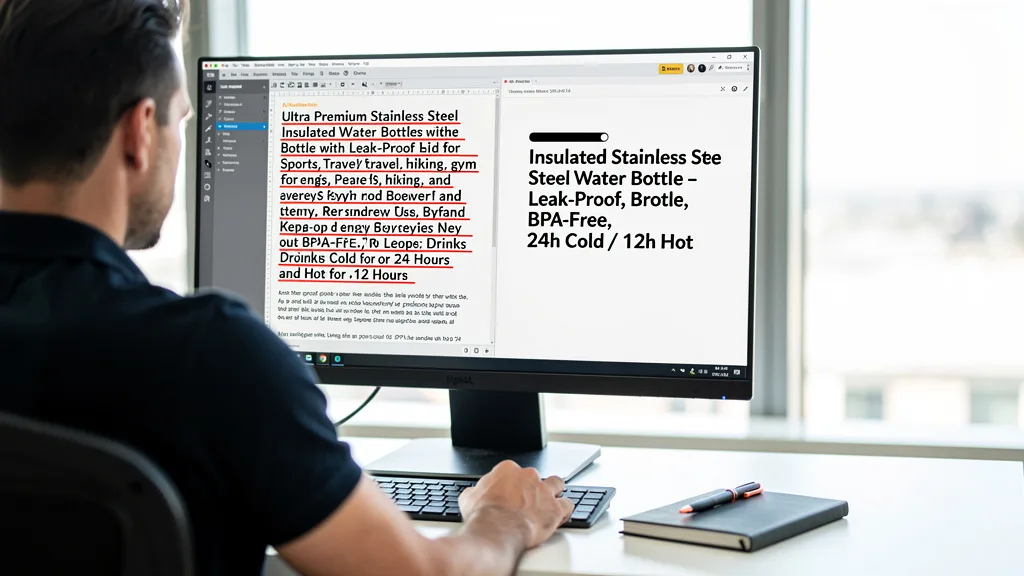
To streamline your workflow, you can use a dedicated tool built for this purpose. For instance, our free Amazon listing character counter is designed specifically to help sellers manage their copy efficiently. Bookmark a reliable tool so it's always ready when you are creating or updating your product listings.
Step 2: Copy and Paste Your Listing Text
It's a best practice to draft your listing copy in a separate document, such as Google Docs or a text editor, rather than directly in Seller Central. This allows you to focus on crafting compelling content, collaborating with your team, and saving versions without the risk of accidentally publishing an incomplete listing. This approach also makes it easy to check character counts.
Once your draft is ready, simply highlight the text for a specific field, such as your product title, and copy it. Then, navigate to your chosen character counter tool and paste the text into the input box. Repeat this process for each individual text field: the title, each of the five bullet points, the product description, and your backend search terms.
Step 3: Analyze the Character and Word Counts
The moment you paste your text, the tool will provide an instant analysis. You'll see the exact number of characters, words, and bytes. Your job is to compare this data against Amazon's limits for the specific field you are working on. For example, if you're checking a bullet point and the tool shows 265 bytes, you know you need to trim it down to get under the 250-byte limit.
This step removes all ambiguity from the process. You no longer have to wonder if your message is too long or if you have room to add another benefit. The data is clear and immediate, allowing you to make quick, informed decisions about your copy. This precision is a hallmark of professional Amazon account management.
"Using a character counter isn't just a technical check; it's a strategic move. Every character is an opportunity to persuade a customer or rank for a keyword. Wasting that space, or having your message cut off, is a direct hit to your conversion rate."
Step 4: Optimize Your Text to Meet Amazon's Limits
The final step is to act on the data. If your text is over the limit, it's time to edit. Look for filler words, redundant phrases, or opportunities to be more concise. Can you use a shorter synonym or an abbreviation? The goal is to retain the core message and keywords while fitting within the required space. This disciplined editing process often results in stronger, more powerful copy.
Conversely, if you find you are well under the limit, you have a valuable opportunity. Can you add another relevant long-tail keyword? Is there another compelling benefit you can mention? Could you add a detail about the material or size to reduce potential customer questions? Use the extra space strategically to enhance the listing's value for both SEO and conversion.
Amazon Listing Character Limits Cheat Sheet for 2026
To help you stay compliant, here is a quick reference guide to Amazon's most common character limits as of 2026. Keep in mind that these can vary by category, and Amazon occasionally updates them. Always verify the specific limits for your product category within Seller Central as the ultimate source of truth.

| Listing Section | Recommended Limit (Varies by Category) | Key Best Practices |
|---|---|---|
| Product Title | Under 200 characters | Front-load main keywords. The first 70 characters are most critical for mobile view. |
| Bullet Points (Key Features) | Under 250 bytes per bullet | Use all 5 points to highlight benefits, use cases, and specifications. |
| Product Description | Under 2,000 characters | Tell a story about your product. This is replaced by A+ Content for Brand Registered sellers. |
| Backend Search Terms | Under 250 bytes total | Do not repeat words, use commas, or include brand names. Fill with relevant synonyms and long-tail keywords. |
Product Title Limits
Your product title is arguably the most important element of your listing for both search visibility and click-through rate. While the technical limit is often around 200 characters, the practical limit is much shorter. On mobile devices, which account for a huge portion of Amazon traffic, only the first 60-80 characters are typically visible in search results without tapping into the listing.
This makes it essential to front-load your title with the most critical information: your brand name, the core product identity, and your main keyword. Use the remaining space for secondary keywords and important features like size, color, or quantity. A well-structured title grabs attention and qualifies the customer before they even click.
Bullet Points (Key Product Features)
Amazon gives you five bullet points to make your case. The limit here is typically 250 bytes per bullet. This is a crucial distinction from characters, as some special characters or symbols can take up more than one byte of data. A reliable character counter that also measures bytes will help you avoid any issues.
Use this space to expand on the features mentioned in your title and, more importantly, translate them into compelling benefits. How does that feature make the customer's life better, easier, or more enjoyable? An effective strategy detailed in our Amazon listing optimization guide is to start each bullet with an emoji or an all-caps benefit-driven heading to capture scanners' attention.
Product Description Guidelines
For sellers not enrolled in Brand Registry, the standard product description field allows for up to 2,000 characters of plain text. This is your opportunity to tell a deeper story about your product and brand, overcome objections, and provide additional details that couldn't fit in the bullet points. Use simple HTML like bolding and line breaks to improve readability.
However, for Brand Registered sellers, this section is replaced by A+ Content. This powerful tool allows you to use a combination of high-quality images, comparison charts, and professionally designed text modules to create a rich, engaging brand experience. A+ Content has its own modular structure and text limits, but it is proven to increase conversion rates when executed well. Many sellers have seen success after making a Feature Request to improve its functionality further.
Backend Search Terms
Often overlooked by new sellers, the backend search terms field is a powerhouse for SEO. This field is completely invisible to customers but is indexed by Amazon's A9 algorithm. You have a strict limit of under 250 bytes (not characters) for this entire section. It is crucial not to waste this space.
To optimize this field, fill it with relevant keywords and search terms that you haven't used in your visible listing copy. This includes common misspellings, synonyms, and long-tail phrases. Do not repeat any words, do not use punctuation like commas, and do not include your brand name or competitor brand names. A character counter that shows bytes is essential for maximizing this space without going over the limit.
Beyond Counting: Optimizing Content for Amazon SEO
Meeting character limits is the first step, but truly effective listing optimization goes much further. The goal is not just to fit your content into a box but to craft compelling copy that ranks well and persuades customers to buy. This involves a delicate balance of art and science, blending keyword strategy with consumer psychology.
Integrating Keywords Naturally
Once you've done your keyword research, the challenge is to weave those terms into your title, bullets, and description without sounding robotic. The practice of "keyword stuffing" is outdated and can actually harm your ranking, not to mention destroy readability. Your copy should flow naturally and read as though it was written for a human, not an algorithm.

A good approach is to place your most important keywords in the most prominent positions (like the start of the title) and then sprinkle related long-tail keywords and synonyms throughout the rest of the copy. Understanding the nuance between Amazon listing optimization vs. SEO in a broader sense helps you create content that serves both the platform's algorithm and the end user's needs, leading to sustainable growth.
Improving Readability for Higher Conversion
Most Amazon shoppers are scanners, not readers. They are looking for quick information to make a purchasing decision. Your listing needs to be formatted for scannability. Use short sentences and paragraphs. Start bullet points with capitalized headers or relevant emojis to draw the eye to key benefits.
Break up large blocks of text in your description (or A+ Content) with images and bolded headings. The easier you make it for a customer to find the information they need, the more likely they are to convert. A useful Amazon Listing Character Counter can also double as a clean workspace to review copy for readability before you paste it into Seller Central.
Key Takeaways
Mastering your listing's content is fundamental to success on Amazon. Here are the key points to remember about using character counters and optimizing your copy:
- Compliance is Non-Negotiable: Using a character counter ensures your copy adheres to Amazon's strict limits, preventing unprofessional truncation that kills conversion.
- Limits Vary by Section: Product titles, bullet points, descriptions, and backend search terms each have unique character or byte limits that you must respect.
- Optimize for Mobile First: With a majority of shoppers on mobile, the first 60-80 characters of your title are the most valuable real estate you have.
- Bytes are Not Characters: For bullet points and backend keywords, Amazon measures in bytes. Use a tool that can calculate this to ensure you are compliant.
- Optimization Beyond Counting: The ultimate goal is to blend strategic keyword integration with high-readability copy that persuades shoppers to click "Add to Cart."
Frequently Asked Questions
Here are answers to some common questions sellers have about character counters and listing optimization.
Are character counters free to use?
Yes, the vast majority of online character and word counter tools are completely free to use. They are simple, web-based applications that provide instant analysis without requiring any software installation or payment. Many websites offer a free character count service as a utility for writers, marketers, and ecommerce sellers.
These tools are an essential part of any Amazon seller's toolkit. Having a reliable, free tool bookmarked saves time and eliminates the guesswork associated with staying within Amazon's guidelines, making it a high-return activity with zero cost.
Do character counters include spaces and punctuation?
Most high-quality character counters will provide multiple metrics, including a count with spaces and a count without spaces. For Amazon's purposes, you should almost always refer to the character count that *includes* spaces and punctuation, as this is how their system measures length for fields like the product title.
It is also important to find a tool that measures bytes. Fields like the bullet points and backend search terms have limits defined in bytes, not characters. Since some symbols and characters can take up more than one byte of data, relying on a character-only count can lead to accidental overages.
What are some common Amazon seller mistakes to avoid?
Beyond ignoring character limits, common mistakes include keyword stuffing, using low-quality product images, and neglecting the backend search terms field. Another major error is failing to optimize for mobile view, where titles and bullets are much shorter. Many sellers also focus solely on revenue without properly tracking their profit margins.
Perhaps the biggest mistake is a "set it and forget it" mentality. The Amazon marketplace is dynamic. Successful sellers constantly test and refine their listings, monitor their PPC campaigns, and adapt their strategies based on performance data and competitor actions. This proactive approach is key to scaling your business.
Can I really make $1000 a month selling on Amazon?
Yes, earning $1000 a month in net profit on Amazon is an achievable goal for a dedicated seller, and many brands far exceed this. However, it is not a get-rich-quick scheme. Success requires a well-researched product, a solid launch strategy, and ongoing effort in key areas like inventory management, customer service, and marketing.
Achieving consistent profitability involves mastering skills like Amazon listing optimization vs. PPC and understanding how they work together. With the right product and a profit-focused strategy, scaling to $1000 a month and beyond is entirely possible for those willing to treat it as a real business.
Conclusion
Learning how to use the Amazon listing character counter tool is more than a technical task; it's a foundational discipline for any serious seller in 2026. It ensures your listings are professional, fully visible, and optimized to their maximum potential. By treating every character as a valuable asset, you create a powerful first impression that drives clicks, engages shoppers, and ultimately boosts your conversion rate and profitability. This attention to detail is what separates thriving eight-figure brands from the rest.
If you've optimized your listings but still aren't seeing the growth you expect, there may be deeper issues with your strategy. As an Amazon consultant who has scaled multiple brands to 8 figures, I can identify hidden opportunities and profit leaks in your account. Get a comprehensive, no-obligation analysis of your listings and overall account health. Book your Free Audit today and discover your path to profitable scaling.