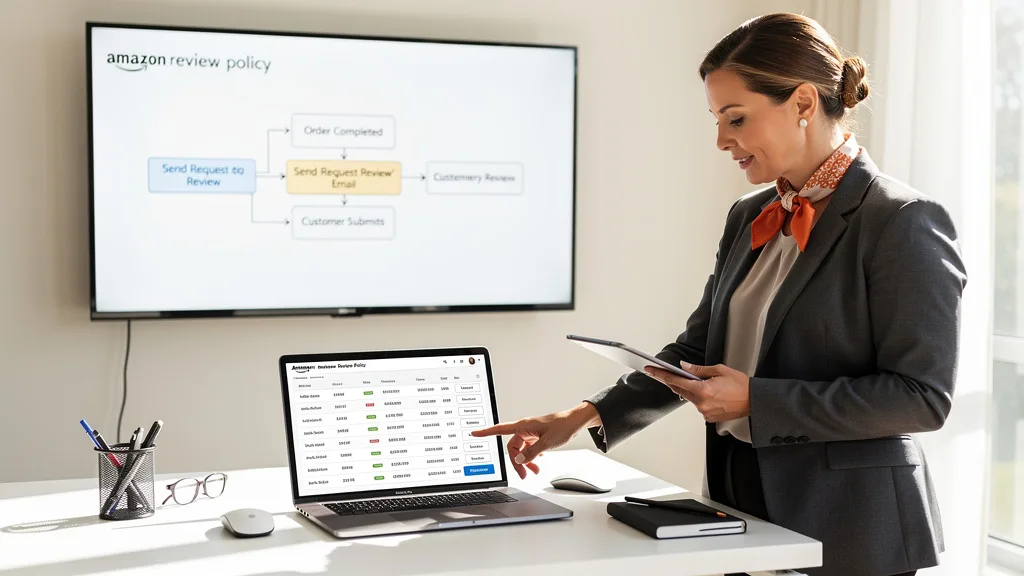
Are you navigating the tricky waters of Amazon's review policies, worried that one wrong move could jeopardize your entire business? Product reviews are the lifeblood of any successful Amazon brand, directly influencing conversion rates, search ranking, and customer trust. However, the line between proactive customer service and a policy violation is finer than ever.
To how to request Amazon customer reviews without violating rules, you must use only Amazon-approved methods. This includes using the 'Request a Review' button in Seller Central or sending a single, neutral, non-incentivized message through the Buyer-Seller Messaging service. Never offer compensation, selectively ask for positive reviews, or use non-compliant third-party services, as these actions risk severe penalties, including account suspension.
Understanding Amazon's Community Guidelines for 2026
Amazon's Community Guidelines are the foundation of trust on the platform. They are designed to ensure all customer-generated content, including reviews, questions, and answers, is authentic, helpful, and relevant. For sellers in 2026, understanding these rules isn't just good practice; it's a critical component of risk management. A violation, even an unintentional one, can lead to listing suppression, loss of review privileges, or even permanent suspension of your selling account.

The guidelines exist to protect the integrity of the shopping experience. Amazon wants customers to make informed purchasing decisions based on honest, unbiased feedback from real buyers. Any attempt to manipulate this feedback undermines that trust. The rules cover everything from offering incentives and pressuring buyers to manipulating search results. Staying current with these policies is essential, as Amazon frequently updates them to combat new forms of abuse and ensure the community remains a helpful resource for everyone.
Approved Methods: What Is Allowed When Asking for Reviews
While Amazon's rules are strict, they do provide compliant pathways for sellers to request reviews. These methods are designed to be neutral and non-intrusive, respecting the customer's experience while giving you an opportunity to gather valuable feedback. Focusing your efforts on these approved channels is the only sustainable strategy for review generation. It ensures you remain within the terms of service and build a brand reputation based on genuine customer satisfaction.
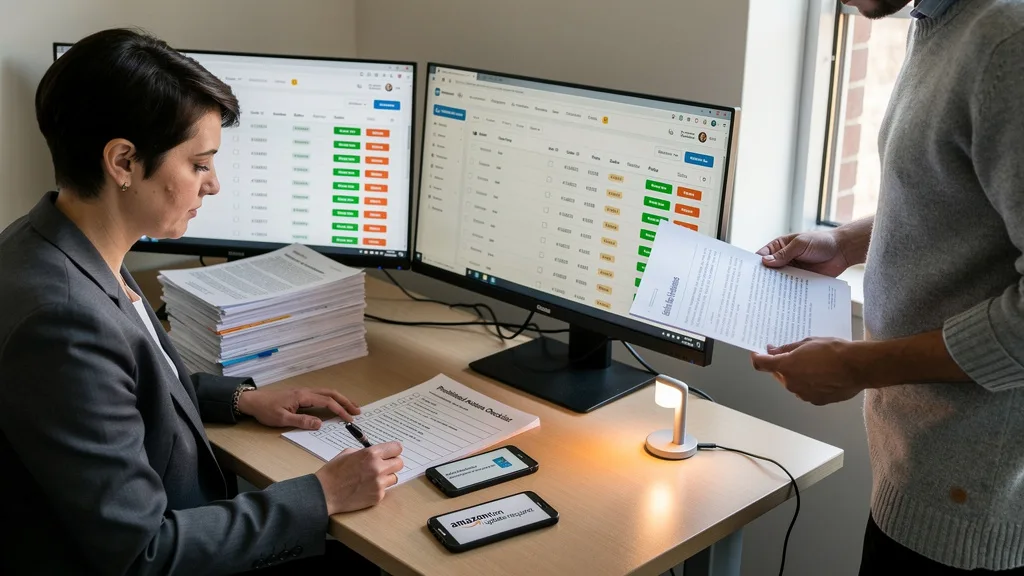
The key principle behind all approved methods is neutrality. Your request should never imply that you expect a positive review, nor should it offer any kind of reward for leaving one. The goal is to simply remind the customer of their option to share their experience, good or bad. Using Amazon's own systems is the safest way to achieve this, as they have built-in compliance features that protect both you and the customer.
Using Amazon's Official 'Request a Review' Button
The safest and most straightforward method to ask for a review is by using Amazon's 'Request a Review' button. This feature is located within the Order Details page in Seller Central for each order. When you click this button, Amazon sends a standardized, pre-written email to the buyer that requests both a product review and seller feedback. The email is automatically translated into the buyer's preferred language, and you cannot customize the message.
This method is 100% compliant because you have no control over the wording, timing, or delivery beyond the initial click. You can only send one request per order, and it's available between 5 and 30 days after the order delivery date. Using this button eliminates any risk of accidentally violating policies with your own messaging, making it the preferred choice for most sellers focused on scaling safely. It's a simple, effective tool provided directly by Amazon.
Leveraging Buyer-Seller Messaging Correctly
You are also permitted to use the Buyer-Seller Messaging service to send a single review request per order. However, this method carries more risk because you are responsible for crafting the message. The message must be entirely neutral. You cannot ask for a positive review, provide conditional incentives (e.g., "If you leave a 5-star review, we'll send you a gift card"), or include links to any external websites.
A compliant message should be simple, polite, and focused on customer service. You can include a direct link to the product review page for the item they purchased. It is crucial that you do not send more than one review request per order. Bombarding customers with messages is a policy violation and a poor customer experience. A well-crafted message can support your brand's voice, but it must strictly adhere to the guidelines to avoid penalties.
Prohibited Actions: What Is Not Allowed in Review Requests
Understanding what not to do is just as important as knowing the approved methods. Amazon takes review manipulation very seriously, and the consequences for violating these policies can be devastating for your business. Prohibited actions are those that attempt to artificially inflate your product's rating or mislead potential buyers. These tactics erode customer trust and create an unfair competitive landscape, which is why Amazon enforces these rules so aggressively.

Many sellers, especially those new to the platform, fall into traps by using outdated advice or hiring agencies that engage in risky practices. It's crucial to remember that ignorance of the policy is not a defense. As the brand owner, you are ultimately responsible for any actions taken on your account's behalf, including those by employees or third-party service providers. Staying vigilant and sticking to white-hat tactics is the only way to build a sustainable, eight-figure brand on Amazon.
Offering Incentives for Reviews
One of the most severe violations is offering any form of compensation or incentive in exchange for a review. This includes offering free products, discounts on future purchases, gift cards, refunds, or any other type of reward. The policy prohibits incentivizing reviews both directly within a message and through product inserts. Even language that suggests a reward for contacting customer service after leaving a review can be flagged as a violation.
This rule is in place to prevent biased feedback. A customer who receives a reward is no longer providing an impartial opinion, which defeats the purpose of the review system. Amazon's algorithms and human moderators are highly effective at detecting this behavior. If caught, you risk having all your product reviews wiped, your listing suspended, and your account permanently banned. The short-term gain is never worth the long-term risk to your business. A better approach is to focus on your Amazon listing optimization to drive organic sales and reviews.
Cherry-Picking or Asking Only for Positive Reviews
Another prohibited tactic is selectively requesting reviews only from customers who had a positive experience. This is often called "cherry-picking." You cannot create a system that filters buyers and only sends review requests to those who are likely to leave a 5-star rating. Similarly, your messaging cannot explicitly ask for a positive review or discourage negative ones. Language like, "If you loved our product, please leave a review! If you had any issues, please contact us instead," is a direct violation.
All review requests must be neutral, giving every customer an equal and unbiased opportunity to share their honest feedback. The purpose of reviews is to reflect the genuine customer experience, which includes both positive and negative aspects. Attempting to suppress negative feedback while amplifying positive feedback creates a misleading product page and violates Amazon's core principles of authenticity. Embracing all feedback is crucial for product improvement and building a trustworthy brand.
"In 2026, Amazon's detection systems are more sophisticated than ever. Attempting to cherry-pick positive reviews or use incentivized language is not just risky; it's a direct path to account suspension. Profit-focused growth means playing by the rules and building a brand that wins on quality, not on manipulated reviews."
Using Third-Party Services That Violate Policy
Many third-party software tools offer to automate the review request process. While some of these tools are compliant, many are not. It is your responsibility to vet any service you use. A non-compliant service might send messages that violate the language rules, request reviews outside the approved 5-30 day window, or send more than one request per order. Using such a service puts your account at direct risk.
Before signing up for any automation tool, confirm that it uses Amazon's official Selling Partner API and adheres strictly to the communication guidelines. The safest tools are those that simply automate the clicking of the 'Request a Review' button, as this removes any chance of custom, non-compliant messaging. Be wary of any service that promises to get you only positive reviews or uses aggressive follow-up sequences, as these are clear red flags.
| Action | Allowed? | Why? |
|---|---|---|
| Using the 'Request a Review' button | Yes | Amazon's official, 100% compliant method. The message is standardized and neutral. |
| Sending one neutral Buyer-Seller message | Yes | Permitted as long as the language is unbiased and no incentives are offered. |
| Offering a discount for a review | No | This is a prohibited incentive that creates biased reviews and is a severe violation. |
| Asking only happy customers for reviews | No | Considered review manipulation and "cherry-picking," which is against policy. |
| Including a link to an external site | No | Buyer-Seller messages cannot contain marketing or links to other websites. |
| Asking a buyer to change a negative review | No | You cannot pressure a customer to change or remove their review. |
Step-by-Step: How to Ask for Reviews the Right Way
Now that you understand the dos and don'ts, let's walk through the practical steps for requesting reviews in a compliant manner. Following a consistent and policy-adherent process is key to steadily growing your review count without putting your account at risk. The best strategies are simple, repeatable, and built directly into your post-sale workflow.

We will cover the two approved methods in detail: initiating a request directly through Seller Central and crafting a compliant message template for the Buyer-Seller Messaging service. By mastering these two techniques, you will have a complete toolkit for ethical and effective review generation that supports your brand's long-term growth on Amazon.
Initiating a Request via Seller Central
Using the 'Request a Review' button is the most direct and risk-free method. It is a simple process that can be done manually for each order or automated with compliant third-party software. To do it manually, you just need to navigate to the correct page within your Seller Central account.
Here are the steps:
- Log in to your Amazon Seller Central account.
- Hover over the 'Orders' tab and click on 'Manage Orders'.
- Find the order for which you want to request a review. You can use the search bar to find it by order ID.
- Click on the Order ID to go to the 'Order Details' page.
- In the top right corner of the page, you will see the 'Request a Review' button. This button only becomes active 5 days after the delivery date and remains active until 30 days post-delivery.
- Click the button. A confirmation pop-up will appear. Click 'Yes' to send the request. Amazon will then handle the rest.
Crafting a Compliant Buyer-Seller Message Template
If you choose to use Buyer-Seller Messaging, creating a pre-approved template is essential to ensure consistency and compliance. This template should be reviewed carefully to ensure it contains no prohibited language. Remember, the goal is a single, neutral follow-up that offers good customer service and gently reminds the buyer they can leave a review.
A compliant template could look something like this: "Hello [Buyer Name], Thank you for your recent order of [Product Name] from [Your Brand Name]. We just wanted to follow up to ensure everything arrived safely and meets your expectations. If you have a moment, we would appreciate you sharing your experience by leaving a product review. Your feedback helps us and other Amazon shoppers. You can leave a review here: [Link to Product Review Page]. Thank you again for your business! Best, [Your Name/Brand Name]." This message is polite, neutral, and provides a direct link, checking all the boxes for compliance. This strategy is also useful for specific niches, as seen in guides on How to collect Amazon book reviews.
Handling Negative Feedback and Policy Violations
No matter how great your product is, negative reviews are an inevitable part of selling on Amazon. How you handle them defines your brand's commitment to customer service. Additionally, you may encounter reviews that violate Amazon's policies, such as those containing obscene language or personal information. Knowing how to respond professionally and when to report a violation is a critical skill for any serious seller.
A proactive approach to feedback management can turn a negative situation into a positive one. It shows potential customers that you stand behind your product and care about your buyers' experiences. It also helps you identify potential product flaws or issues in your Amazon SEO and listing information, providing valuable data for improvement. Ignoring negative feedback is a missed opportunity to build trust and improve your business.
Responding to Negative Reviews Professionally
When you receive a negative review, the first step is to take a breath and avoid an emotional response. Always reply publicly in a professional, helpful, and empathetic tone. Thank the customer for their feedback, apologize for their negative experience, and briefly offer a solution or clarification if appropriate. Never be defensive or argumentative.
Your public response is not just for the unhappy customer; it's for every future customer who reads that review. A professional reply shows that you are an engaged and responsible seller. If there's a legitimate issue you can solve, like a defective product, you can invite them to contact your customer service through Buyer-Seller Messaging for a resolution. However, never ask them to change their review as part of that resolution.
How to Report Customer Review Policy Violations
If you believe a review violates Amazon's Community Guidelines, you can report it. Valid reasons for removal include reviews with obscene language, personal contact information, pricing feedback, or reviews left by a competitor. Note that Amazon will not remove a review simply because it is negative or you disagree with the customer's opinion.
To report a review, go to the product detail page and find the review in question. Click the 'Report' button located next to the review. Select the reason for the violation from the drop-down menu and submit your report. Alternatively, you can report it from within Seller Central by opening a case with Seller Support and providing the order ID and a link to the review with a clear explanation of the violation. The process can be slow, and success is not guaranteed, but it is the correct channel for addressing illegitimate feedback.
Key Takeaways
Navigating Amazon's review policies is crucial for sustainable growth. As of 2026, sticking to compliant methods is the only way to protect your account while building a strong brand reputation. Here are the most important points to remember:
- Always Prioritize Compliance: Violating Amazon's review policies can lead to severe penalties, including account suspension. The risk is never worth the reward.
- Use Approved Methods Only: Stick to Amazon's 'Request a Review' button or a single, neutral Buyer-Seller Message. These are the only two approved proactive methods.
- Never Incentivize or Cherry-Pick: Do not offer any form of compensation for reviews. Do not selectively solicit reviews from happy customers or ask for positive reviews.
- Handle Negative Reviews Professionally: Respond publicly to negative feedback with empathy and professionalism to build trust with all customers.
- Vet All Third-Party Tools: If you use automation software, ensure it is 100% compliant with Amazon's terms of service, preferably by using the official API to trigger the 'Request a Review' function. A thorough Amazon PPC audit can also reveal issues related to overall account health.
Frequently Asked Questions
Are Amazon sellers allowed to ask for reviews directly?
Yes, Amazon sellers are allowed to ask for reviews, but only through two approved methods. You can use the 'Request a Review' button on the order details page in Seller Central or send one neutral, non-incentivized request per order via the Buyer-Seller Messaging service. Any other form of direct solicitation, especially with biased language or incentives, is a violation.
Can I get a negative Amazon review removed?
You can only get a negative review removed if it violates Amazon's Community Guidelines. This includes reviews containing profanity, personal information, shipping feedback, or if it's clearly from a competitor. You cannot have a review removed simply because it is negative or you disagree with the opinion. Report violations using the 'Report' button on the product page.
What are the consequences for violating Amazon's review policy?
The consequences for violating Amazon's review policy are severe and can escalate depending on the infraction. Penalties range from having the offending reviews removed and receiving a warning to temporary or permanent suspension of your selling privileges. In serious cases, Amazon may withhold your funds and pursue legal action. It is a risk that is not worth taking for any serious brand.
Who is eligible to leave a product review on Amazon?
To leave a product review, a customer must have spent at least $50 on Amazon.com using a valid credit or debit card in the past 12 months. This policy was implemented to ensure that reviewers are active members of the Amazon shopping community and to reduce the number of fake or unverified reviews. The purchase does not have to be for the specific product being reviewed.
Can I use a third-party tool to automate review requests?
Yes, you can use third-party tools to automate review requests, but you must ensure the tool is fully compliant with Amazon's policies. The safest tools are those that integrate with Amazon's Selling Partner API to automate the clicking of the official 'Request a Review' button. Be cautious of services that send custom emails, as they can easily violate messaging guidelines if not configured correctly.
Conclusion
Successfully navigating how to request Amazon customer reviews without violating rules in 2026 comes down to one core principle: prioritize compliance above all else. By exclusively using Amazon's 'Request a Review' button and crafting truly neutral Buyer-Seller messages, you can build a strong review profile without ever putting your account at risk. Embrace all feedback, respond professionally, and focus on delivering an excellent product. This is the only sustainable path to scaling from seven to eight figures on Amazon.
If your review strategy feels stalled or you're worried about potential compliance issues holding back your growth, it may be time for an expert evaluation. A comprehensive audit can identify hidden risks and unlock opportunities for compliant, profit-focused scaling. Get a Free Audit today to ensure your brand is built on a solid foundation for long-term success.