Are your Amazon sales plateauing despite having a great product? The issue often lies not with the product itself, but with how it's presented. A fully optimized product listing is the single most powerful asset you have for converting browsers into buyers on the world's largest marketplace.
To optimize your Amazon product listings for higher sales, you must master six core pillars: in-depth keyword research, a compelling title, benefit-driven bullet points, an engaging product description with A+ Content, high-quality images and video, and proactive review management. Integrating these elements correctly increases your listing's visibility in search results and boosts its conversion rate, directly impacting your revenue and profitability in 2026.
As a consultant who scales 7-figure brands to 8-figures, I've seen firsthand that prioritizing and optimizing these components separates stagnant sellers from market leaders. This guide provides a step-by-step framework for transforming your product pages into high-performance sales assets. Understanding the nuances of Amazon Listing Optimization (Enhance Products) is no longer optional, it's essential for survival and growth.
The Core Pillars of Amazon Product Listing Optimization
Achieving top performance on Amazon requires a holistic approach. You can't just fix one part of your listing and expect sales to skyrocket. Instead, you need to view your product detail page as an ecosystem where every element works together to attract, inform, and convert customers. Mastering these components is the foundation of how to optimize Amazon product listings for higher sales.
The six pillars that form a fully optimized listing are keywords, title, bullet points, product description (including A+ Content), images and video, and customer reviews. Each pillar addresses a specific part of the customer journey, from initial discovery in search to the final purchase decision. Neglecting any one of these can create a weak link in your sales funnel, costing you visibility and conversions.
Step 1: Conduct In-Depth Keyword Research
Keyword research is the bedrock of any successful Amazon listing. If you don't target the search terms your customers are actually using, even the most persuasive copy and beautiful images will go unseen. Effective keyword strategy ensures your product appears in front of relevant, high-intent shoppers, driving qualified traffic to your page.
Identifying Primary and Long-Tail Keywords
Your keyword strategy should include a mix of primary and long-tail keywords. Primary keywords are broad, high-volume search terms, typically two or three words, like "yoga mat" or "kitchen knife." They drive significant traffic but are also highly competitive. To capture more specific, purchase-ready traffic, you must also target long-tail keywords. These are longer, more detailed phrases like "extra thick non-slip yoga mat for hot yoga" that indicate a buyer knows exactly what they want.
While long-tail keywords have lower individual search volume, they often have much higher conversion rates because they match customer intent so precisely. A balanced approach involves placing your most important primary keywords in high-visibility fields like the title and then weaving long-tail variations throughout your bullet points, description, and backend search terms. This strategy maximizes both broad visibility and high-intent conversions.
Analyzing Competitor Keyword Strategies
Your competitors are a valuable source of keyword intelligence. Analyze the listings of the top three to five sellers for your main product category. Pay close attention to the keywords they use in their titles, the benefits they highlight in their bullet points, and the language they use in their descriptions. Tools like Helium 10 and Jungle Scout can help you reverse-engineer their keyword strategy, revealing the terms that are driving their sales.
Look for patterns and gaps. Are they all targeting the same primary keyword? Is there a long-tail keyword that they are overlooking? By understanding what is already working for the top players in your niche, you can adopt their successful strategies while also identifying unique opportunities to differentiate your own listing and capture an underserved segment of the market.
Utilizing Backend Search Terms Effectively
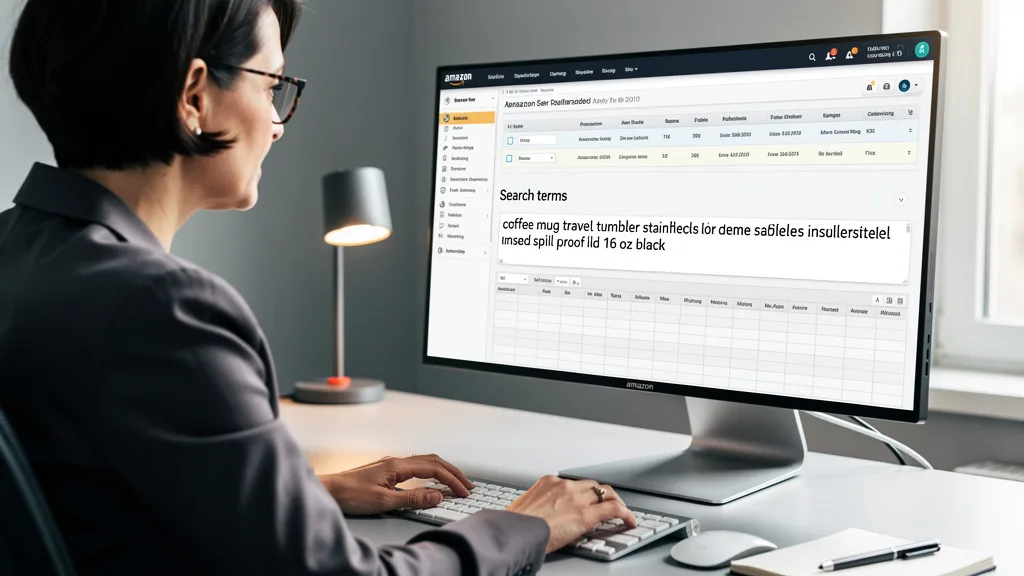
The backend search terms field in Seller Central is your space for keywords that are not customer-facing. This is the perfect place to include common misspellings, synonyms, and long-tail keywords that didn't fit naturally into your title or bullet points. This allows you to index for a wider range of search queries without cluttering your visible listing copy with awkward phrases.
As of 2026, the best practice is to use the space efficiently. Do not repeat keywords that are already in your title or bullets. Avoid using commas or quotation marks; simply separate terms with a single space. Fill the field with relevant search terms, including Spanish translations of your main keywords if you're selling in the US, to capture a broader audience. Properly utilized backend search terms are a powerful, invisible driver of traffic.
Step 2: Craft a Compelling and Optimized Product Title
Your product title is arguably the most important piece of real estate on your listing. It's the first thing customers see in search results and a primary factor in both Amazon's search algorithm and a customer's click-through decision. A well-crafted title must be optimized for search engines while also being clear and persuasive for human shoppers.
Structuring Your Title for Readability and SEO
A winning title follows a clear, logical structure that balances keywords with key product information. A proven formula for many categories is: Brand Name + Main Keyword + 2-3 Key Benefits/Features + Size/Quantity/Color. This structure immediately tells the algorithm what your product is and informs the customer why they should care.
For example, instead of "Great Water Bottle," a much stronger title would be "AquaFlow Stainless Steel Insulated Water Bottle, 32oz, Keeps Drinks Cold for 24 Hours, Leak-Proof Lid, Midnight Black." This title is packed with relevant keywords and critical purchasing information, making it easy for customers to scan and understand the product's value at a glance.
Adhering to Amazon's Title Guidelines
Amazon has specific style guides and character limits for product titles, which can vary by category. Exceeding these limits or using prohibited elements like promotional phrases ("Best Seller," "Free Shipping") or all-caps text can lead to your listing being suppressed from search results. It's crucial to check the latest category-specific guidelines in Seller Central.
As a general rule for 2026, aim to keep your title informative but concise, using the available space without making it unreadable. The goal is to provide maximum information and keyword value within Amazon's rules to ensure your listing remains active, visible, and effective. A helpful resource for new sellers is a comprehensive Amazon listing optimization checklist, which covers these foundational rules.
Step 3: Write Benefit-Driven Bullet Points
After the title and main image, a customer's eyes will go directly to your bullet points. This is your prime opportunity to sell the product. Too many sellers make the mistake of simply listing features. To create a high-converting listing, you must translate those features into compelling customer benefits.
Translating Features into Customer Benefits
A feature is what your product *is* or *has* (e.g., "10,000 mAh battery"). A benefit is what the customer *gets* or *feels* as a result of that feature (e.g., "Charge your phone up to three times on a single charge, so you never have to worry about running out of power on the go"). Customers buy solutions to their problems, not just products.
For each bullet point, start with the benefit in all caps to grab attention, and then explain the feature that delivers that benefit. This structure quickly communicates value and answers the customer's unspoken question: "What's in it for me?" This approach transforms a dry list of specs into a persuasive sales pitch.
Using Allotted Character Counts to Maximize Impact
Amazon typically gives you five bullet points, with a recommended character count for each. Your goal should be to use this space to its full potential. Each bullet point is another chance to address a customer pain point, highlight a key use case, or overcome a potential objection. Don't leave this valuable space blank or underutilized.
Craft each of the five bullet points to cover a unique selling proposition. Use them to discuss quality, convenience, performance, design, and the ideal user for your product. By strategically using the full character count, you not only provide more information to customers but also create more opportunities to include important secondary and long-tail keywords, further boosting your listing's SEO power.
Step 4: Develop an Engaging Product Description
The product description section is where you can move beyond quick highlights and truly connect with your customer. For sellers without Brand Registry, this is a text-only field. For brand-registered sellers, this is where you can leverage powerful A+ Content to bring your product and brand to life.
Telling Your Brand and Product Story
Use the product description to tell a story. Who is your brand? Why did you create this product? What makes it different from all the other options on Amazon? This is your chance to build an emotional connection and establish brand trust and authority. Go into more detail about the product's uses, the quality of the materials, and the care that went into its design.
This narrative helps justify a premium price and creates brand loyalty that extends beyond a single transaction. By painting a vivid picture of how your product will fit into and improve the customer's life, you make the purchase decision much easier. This is a key differentiator between a simple product and a trusted brand.
Leveraging A+ Content for Enhanced Visuals
For sellers with Amazon Brand Registry, A+ Content (formerly known as Enhanced Brand Content) is a non-negotiable tool for success in 2026. It allows you to replace the standard text description with a visually rich layout of images, custom text placements, and comparison charts. According to Amazon, A+ Content can increase sales by an average of 5%.
Use A+ Content to showcase your product with high-quality lifestyle images, highlight key features with icons and short text, and tell your brand story through compelling visual modules. It breaks up the wall of text, making your product information more digestible and engaging. The difference in conversion rate between a listing with A+ Content and one without can be substantial, making it a critical investment for serious sellers. Understanding the cost of Amazon listing optimization often includes the creation of these high-impact assets.
| Feature | Standard Product Description | A+ Content |
|---|---|---|
| Layout | Single block of plain text. | Multiple modules with custom image and text layouts. |
| Visuals | No images or graphics allowed. | High-resolution images, lifestyle photos, and brand logos. |
| Readability | Can be a dense wall of text, difficult to scan. | Highly scannable with icons, banners, and short paragraphs. |
| Conversion Impact | Low to moderate. | High; can increase conversion rates by 3-10%. |
| Brand Storytelling | Limited to text-based narrative. | Powerful visual storytelling with brand-focused modules. |
Step 5: Optimize Your Product Images and Videos
Humans are visual creatures, and on a digital shelf, your product images are the closest a customer can get to holding your product. A high-quality image stack, including a main image, infographics, lifestyle shots, and a product video, is critical for capturing attention and driving conversions.
Meeting Amazon's Technical Image Requirements
Amazon has strict technical requirements for images, especially the main image. Your main image must be on a pure white background, be a professional photograph of the product, and fill at least 85% of the frame. All images should be high-resolution (at least 1000 pixels on the longest side) to enable the zoom feature, which customers use to inspect product details.
Failing to meet these requirements can result in your listing being suppressed. Beyond the main image, your other image slots should be used strategically to showcase the product from all angles and provide additional information. Ensure all visuals are professional, well-lit, and accurately represent the product to build trust and reduce returns.
Using Lifestyle and Infographic Images to Convert
Your secondary images are where you can truly sell the product. Go beyond simple product shots on a white background. Use lifestyle images to show your product in use by your target customer. This helps shoppers visualize themselves using and benefiting from the product, creating an emotional connection.
Infographic images are another powerful tool. These are images with text overlays that call out key features, dimensions, or benefits. An infographic can quickly communicate your product's main selling points in a visually appealing and easily digestible format. A complete image stack should include the main image, several alternate angles, at least two infographics, and two lifestyle photos to answer customer questions visually and drive the sale. Amazon Listing Optimization.
Step 6: Manage and Encourage Positive Product Reviews
Product reviews are the social proof that underpins trust and credibility on Amazon. A high star rating and a healthy number of positive reviews can dramatically increase your conversion rate. Proactively managing your reviews is a continuous process that is vital for long-term success.
"In 2026, you can't just launch a product and hope for good reviews. You need a proactive system. Positive Amazon product reviews are the ultimate validation, and managing feedback is a direct conversation with your market that informs everything from product development to your next marketing campaign."
Strategies for Generating Authentic Reviews
Generating reviews must always be done within Amazon's Terms of Service. A powerful and fully compliant method is using Amazon's Vine program, where you provide free products to a pool of trusted reviewers in exchange for their unbiased opinions. Another effective strategy is to use Amazon's "Request a Review" button on orders within 4-30 days of delivery.
You can also use carefully worded automated email follow-ups through third-party services, but these messages cannot explicitly ask for a positive review. They can only request feedback or offer customer support. The best long-term strategy is simple: sell a high-quality product and provide excellent customer service. Happy customers are far more likely to leave positive reviews organically.
Responding to Both Positive and Negative Feedback
Engaging with your customer reviews shows that you are an attentive and caring brand. Publicly thank customers for positive reviews to reinforce their good experience. More importantly, you must respond professionally and helpfully to negative reviews. Acknowledge the customer's issue, apologize for their poor experience, and offer a solution, such as a refund, a replacement, or direct contact with your support team.
This not only can sometimes lead to a customer updating their negative review, but it also shows all future potential buyers that you stand behind your product and will take care of them if something goes wrong. This public display of customer service can be a powerful conversion driver in its own right.
Key Takeaways
To effectively scale your brand on Amazon in 2026, a fully optimized listing is non-negotiable. Here are the most critical takeaways to implement:
- Keyword Mastery is Foundational: Your listing's visibility starts with comprehensive keyword research. Target a mix of high-volume primary keywords and high-intent long-tail keywords across your title, bullets, and backend search terms.
- Sell Benefits, Not Just Features: Customers buy solutions. Translate every product feature into a tangible benefit in your bullet points to answer the question, "What's in it for me?"
- Leverage A+ Content: If you are brand-registered, A+ Content is essential. Use its rich visual modules to tell your brand story, showcase product details, and significantly boost your conversion rate.
- Your Images are Your Digital Showroom: Invest in a complete, high-quality image stack. Combine a compliant main image with infographics and lifestyle photos to visually answer questions and help customers imagine using your product.
- Reviews are Your Social Proof: Proactively and compliantly generate authentic reviews using tools like Amazon Vine. Manage all feedback, especially negative reviews, to demonstrate excellent customer service and build trust.
Frequently Asked Questions
How do you find high-demand products to sell on Amazon?
Finding high-demand products involves market research using tools like Jungle Scout or Helium 10. You should look for products with consistent sales volume but that also have identifiable weaknesses in the current top listings. Look for opportunities where you can improve upon an existing product or create a superior brand experience through better listing optimization and marketing.
What is the difference between A+ and A++ Content?
A+ Content is available to all brand-registered sellers and allows for enhanced product descriptions with images and custom layouts. A++ Content, also known as Premium A+ Content, is an invite-only feature for larger brands. It offers even more advanced modules, such as full-width imagery, video loops, and interactive features like clickable Q&As, providing a more immersive brand experience.
How long does it take to see results from listing optimization?
You can see initial results from listing optimization within a few days to a week, as Amazon's algorithm re-indexes your page for new keywords. However, the full impact on sales velocity and organic ranking typically builds over several weeks to a few months. Consistent monitoring and tweaking, especially in response to performance data from your Amazon PPC campaigns, are key to maximizing results.
Can you change your Amazon product listing after it goes live?
Yes, you can and should edit your Amazon product listing after it is live. Continuous optimization is crucial for success. You can update your title, bullet points, description, images, and backend keywords at any time through your Seller Central account. This allows you to test different approaches, respond to market changes, and incorporate new keywords as you discover them.
Are backend keywords still important for an Amazon listing in 2026?
Absolutely. While their relative weight in the algorithm may shift, backend keywords remain a vital component of a comprehensive SEO strategy in 2026. They provide a dedicated space to index for synonyms, misspellings, and long-tail terms that don't fit naturally in your customer-facing copy. Using this field effectively is a simple way to increase your listing's total discoverability.
Conclusion
Mastering how to optimize Amazon product listings for higher sales is a continuous process of refinement, not a one-time task. By systematically implementing the six pillars of optimization—keywords, title, bullets, description, images, and reviews—you create a powerful engine for discoverability and conversion. This strategic approach is what separates thriving 8-figure brands from the sellers who get lost in the noise. Focus on delivering value at every touchpoint on your listing to build a sustainable, profitable brand on Amazon.
If you're a 7-figure brand owner ready to implement these strategies and scale towards 8-figures, a professional audit can uncover your biggest opportunities for growth. Let's identify the exact changes that will drive more profit for your business. Get your no-obligation Free Audit today.