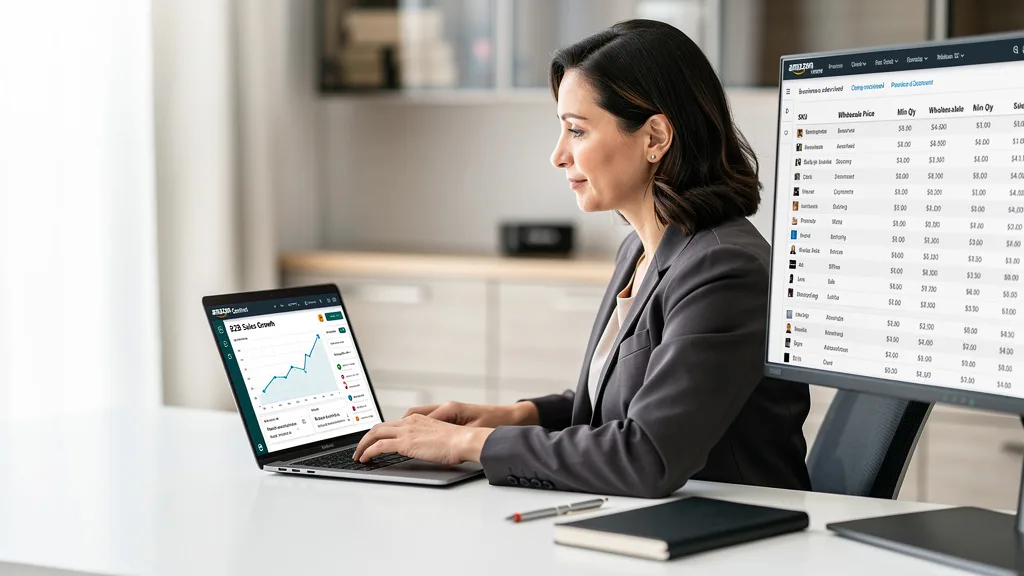
Are you looking to unlock a new, highly profitable sales channel for your 7-figure brand on Amazon? Tapping into the business-to-business (B2B) market can be the catalyst that scales your operation to 8 figures and beyond, but navigating the setup can feel complex. This guide provides a clear path forward.
Setting up an Amazon Business account for B2B sellers involves converting your Professional Seller Account and providing specific business verification documents. This process unlocks B2B-specific features like tiered pricing, quantity discounts, and access to a vast marketplace of business buyers, from small companies to large enterprises. Following the correct steps ensures you can start leveraging these powerful tools to increase your sales volume and profitability in 2026.
An Amazon Business account for sellers is a specialized program that allows you to sell your products directly to registered business customers on the Amazon platform. It is not a separate account but rather an upgrade or feature set added to an existing Professional Seller Account. By enrolling, you gain access to a suite of tools designed specifically for B2B transactions, enabling you to cater to the unique purchasing needs of companies.
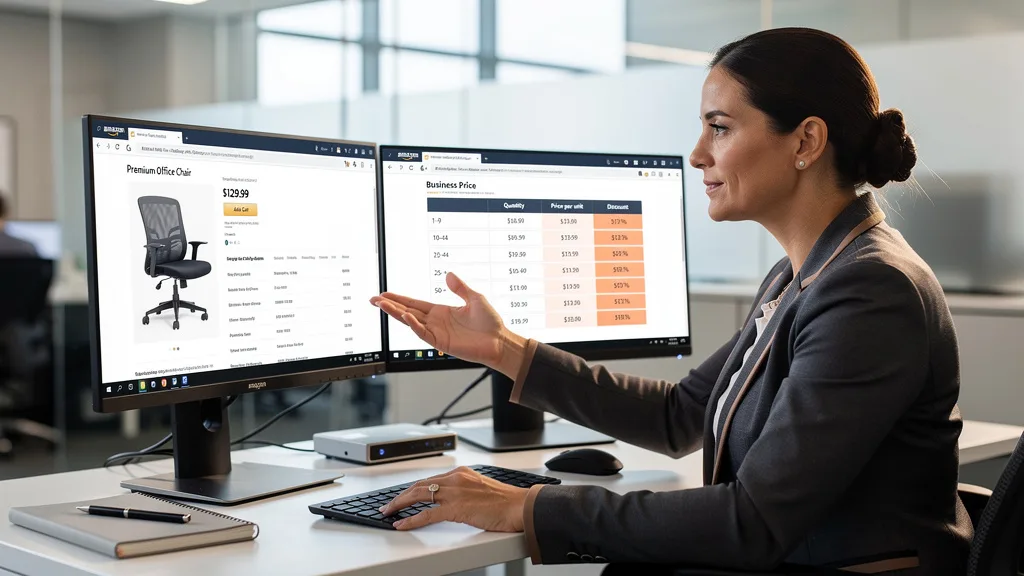
This program transforms your standard listings into B2B opportunities. You can offer products with business-exclusive pricing, provide discounts for bulk orders, and create listings with technical specifications tailored to commercial use. Essentially, it opens a dedicated channel for your brand to serve other businesses, which often purchase in larger quantities and more frequently than individual consumers. This can be a powerful engine for predictable, scalable growth.
Key Benefits of Selling B2B on Amazon in 2026
Engaging with the B2B marketplace on Amazon is more than just another sales avenue; it's a strategic move to diversify your revenue and build a more resilient brand. The benefits extend beyond simple sales increases, offering tools that can enhance your entire selling operation and profitability.
Access a New Customer Base of Business Buyers
The primary advantage is gaining direct access to millions of verified business customers worldwide. These buyers range from small startups and sole proprietors to large corporations, government agencies, and educational institutions. They use Amazon Business to streamline their procurement for everything from office supplies and IT equipment to industrial and maintenance supplies.
This customer segment has different buying habits than typical retail shoppers. They prioritize reliability, clear product specifications, and the ability to purchase in bulk. By positioning your products in this marketplace, you tap into a high-volume demand stream that might otherwise be inaccessible, significantly expanding your brand's reach and potential for large, recurring orders.
Utilize B2B-Specific Selling Tools and Features
The Amazon Business Seller program equips you with exclusive tools to optimize your B2B sales strategy. These features include the ability to set business-only prices that are hidden from retail customers, create enhanced content tailored for business users, and display quality certifications or credentials to build trust.
Furthermore, you can access analytics dashboards that provide insights into your B2B performance. Understanding which businesses are buying your products and what they are looking for allows you to refine your strategy. You can also leverage tools like Amazon B2B sales growth strategies to further automate and scale your outreach to these valuable customers.
Offer Quantity Discounts and Tiered Pricing
One of the most powerful features is the ability to set up a tiered pricing structure. You can create quantity-based discounts, incentivizing business customers to place larger orders. For example, you can set a standard business price for a single unit, a lower price per unit for orders of 10 or more, and an even lower price for orders of 50 or more.
This automated system simplifies the negotiation and purchasing process for bulk buyers, making your listings more attractive than those of competitors who do not offer such incentives. It directly appeals to the procurement mindset of business purchasing agents, who are focused on securing the best possible value for their organizations. This feature alone can dramatically increase your average order value.
Prerequisites for Creating Your Business Account
Before you can begin the setup process, Amazon requires you to meet several prerequisites. Ensuring you have all the necessary information and documentation prepared in advance will streamline your application and prevent unnecessary delays in the verification process.
Required Business Information and Documentation
You will need to provide detailed information about your company. This includes your legal business name, physical address, and phone number. Amazon's verification process is thorough, so this information must exactly match the details on your official business documents.
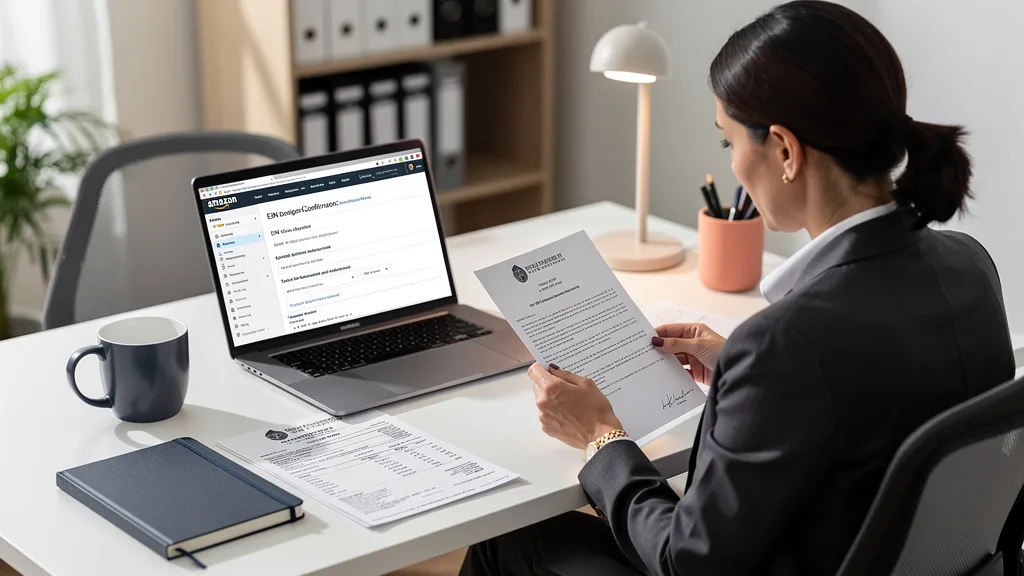
Be prepared to submit scanned copies of documents like a business license, articles of incorporation, or a partnership agreement, depending on your business structure. The goal for Amazon is to verify that you are a legitimate business entity. Having these files ready to upload will make the process much smoother.
Tax Identification Number Eligibility
A valid tax identification number is mandatory. For businesses based in the United States, this is typically an Employer Identification Number (EIN). For sellers in other countries, it will be the equivalent national business tax ID, such as a VAT number in the UK or a Business Number in Canada.
This number is used not only for identity verification but also for managing tax-exempt purchases made by qualified buyers through the Amazon Tax Exemption Program (ATEP). Ensure your tax information is current and accurate before starting your application to avoid any compliance-related issues down the line.
Professional Seller Account and Bank Details
You must have an active Amazon Professional Seller Account to be eligible for the Business Seller program. The B2B features are an add-on to this account type; they are not available for Individual seller accounts. If you currently have an Individual account, you will need to upgrade first.
Additionally, you must have a valid business bank account linked to your Seller Central account. Amazon will need your bank account number and routing number for verification and to process disbursements from your sales. A credit card on file is also required for billing the monthly Professional Seller fee and other potential charges.
How to Set Up an Amazon Business Account: A Step-by-Step Guide
Once you have all your documentation in order, the process of activating your B2B seller capabilities is straightforward. Following these steps will guide you through the registration and verification process to get you selling to businesses quickly.
Step 1: Visit the Amazon Business Registration Page
The first action is to navigate to the official Amazon Business seller landing page within your Seller Central account. You can typically find this by searching for "Amazon Business" in the Seller Central help bar or by navigating through the Programs menu. This dedicated section contains all the information and links needed to begin.
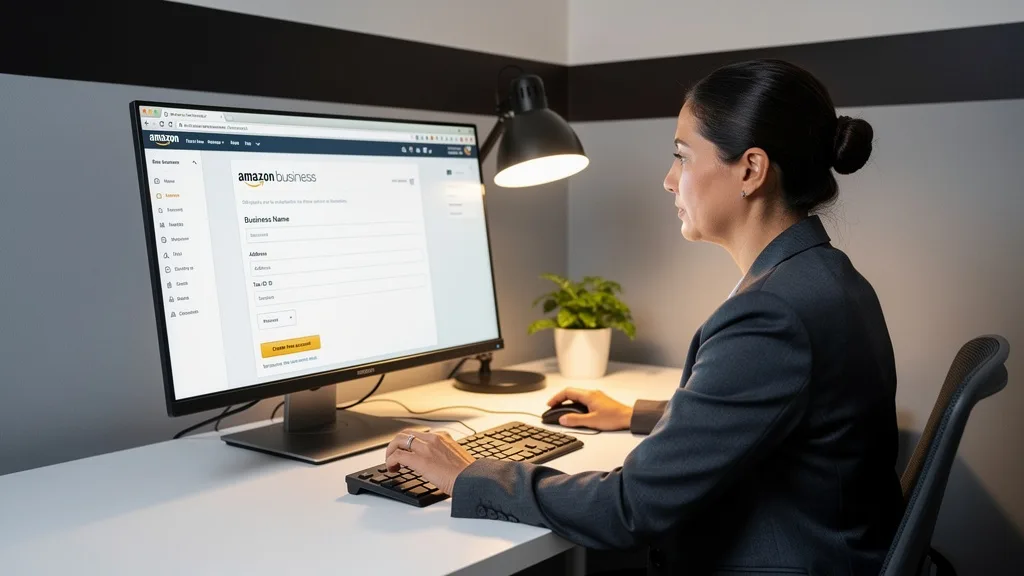
This page will outline the benefits and requirements one last time before you commit. Take a moment to review the details to ensure you are ready to proceed. This is the official starting point to Set Up a Business Account and unlock B2B selling features.
Step 2: Create a New Account or Upgrade an Existing One
You will be presented with the option to enroll your existing Professional Seller Account into the Business Seller program. For nearly all existing sellers, this is the correct path. Clicking the enrollment button will begin the process of adding the B2B features to your current account, preserving your sales history, reviews, and listings.
There is no need to create a brand new seller account from scratch. The process is designed as an upgrade. By choosing to upgrade, you simply add the business-selling tools on top of your existing infrastructure, ensuring a seamless transition without disrupting your current retail operations.
Step 3: Provide Your Business Details for Verification
This is the most critical step. You will be prompted to enter and upload all the business information and documentation you gathered earlier. This includes your business address, tax ID number (EIN), and any required licenses or registration documents. Pay close attention to ensure every detail is accurate and matches your legal paperwork perfectly.
Any discrepancies between the information you enter and the documents you provide can trigger a delay or rejection of your application. Double-check all numbers and spellings before submitting. The automated and manual review processes are strict, so precision is key to a fast approval.
Step 4: Complete Your Business Profile and Await Approval
After submitting your details, you will be asked to complete your public-facing business profile. This is what potential B2B customers will see. You can add your company logo, describe your business, and showcase quality certifications. A well-crafted profile helps build trust and credibility with business buyers.
Once submitted, your application enters a verification queue. Amazon will review your information, which can take anywhere from a few hours to several business days. You will receive an email notification once the verification is complete and your account is approved to start selling on Amazon Business.
Optimizing Your Product Listings for B2B Customers
Simply enabling your account for B2B sales is not enough; you must optimize your listings to appeal to business buyers. This involves leveraging the new tools at your disposal to make your products the clear choice for commercial procurement.
Adding Business-Only Offers and Quantity Pricing
Go through your most relevant products and add business-specific pricing. This price is only visible to verified business customers and can be set lower than your retail price to attract them. More importantly, set up tiered quantity discounts to incentivize larger purchases. Analyze your margins to determine aggressive but profitable discount levels for different volume thresholds.
Think like a procurement manager. They are looking for value and efficiency. A clear, automated discount structure removes the need for negotiation and makes it easy for them to justify a larger purchase order. This is one of the most direct ways to increase your average order value from B2B customers.
Creating A+ Content with a B2B Focus
Your A+ Content should be adapted for a B2B audience. While retail customers may respond to lifestyle imagery and emotional benefits, business buyers need technical specifications, use-case examples, and clear comparisons. Use your A+ Content modules to display spec sheets, compatibility charts, and diagrams that explain how your product integrates into a professional workflow.
Highlight durability, compliance with industry standards, and long-term value. A strong Amazon listing optimization strategy for B2B focuses on facts and performance over fluff. This builds confidence and helps buyers make an informed decision, reducing hesitation and increasing conversion rates.
Managing the Amazon Tax Exemption Program
As a Business Seller, you will automatically be part of the Amazon Tax Exemption Program (ATEP). This allows qualified tax-exempt organizations (like non-profits or government entities) to purchase from you without paying sales tax. Your account will automatically recognize these customers and process the transaction correctly.
It is important to understand that this is largely an automated process. Amazon handles the validation of the buyer's tax-exempt status. Your main responsibility is to ensure your own business and tax information is correctly set up in Seller Central so that reporting is accurate. This feature is a significant convenience for exempt buyers and can make your offers more attractive to this valuable segment.
Understanding Amazon Business Seller Fees and Costs
Participating in the Amazon Business Seller program does not involve a separate subscription fee beyond the standard Professional Seller account fee, which is typically $39.99 per month. However, the referral fees you pay on sales can differ for B2B transactions, especially in certain categories and for large volume orders. It's crucial to understand this fee structure to accurately calculate your profitability.
Amazon applies a tiered referral fee structure for some categories on business orders. As the total value of a transaction increases, the referral fee percentage may decrease. This is designed to make high-volume B2B sales more profitable for sellers. For example, on a large office equipment order, the fee might be 15% on the first $1,000 but drop to 8% on the portion of the sale above that amount. You must review the specific fee schedule for your product categories in Seller Central to forecast your margins correctly.
| Product Category | Standard Retail Referral Fee | Business Tiered Referral Fee Example |
|---|---|---|
| Office Products | 15% | 15% on first $1,000, 8% on portion >$1,000 |
| Industrial & Scientific | 12% | 12% on first $1,500, 6% on portion >$1,500 |
| Electronics | 8% | 8% on first $500, 5% on portion >$500 |
| Janitorial & Sanitation | 15% | 15% on first $2,000, 10% on portion >$2,000 |
Potential Downsides and Considerations for Sellers
While the Amazon Business program offers significant upside, there are potential challenges to consider. The primary downside is increased competition and potential margin compression. Because the platform encourages competitive pricing through features like quantity discounts, sellers may find themselves in a race to the bottom on price, especially for commoditized products. It is crucial to have a firm grasp on your costs and to compete on value, not just price.
Another consideration is the expectation of business buyers. They often have higher standards for shipping speed, product quality, and customer service. A delay or a product that doesn't meet specifications can lead to a returned bulk order and negative feedback that can damage your B2B reputation. You must ensure your operations and supply chain are robust enough to handle the demands of professional clients consistently.
"Successfully scaling on Amazon B2B requires a shift in mindset. It's not just about transactions; it's about becoming a reliable supplier. When you understand how to set up an Amazon Business account for B2B sellers correctly and optimize for the business buyer, you build a long-term asset for your brand."
Key Takeaways
Scaling your Amazon brand into the B2B marketplace is a powerful growth lever for 2026. By upgrading your Professional Seller account, you can unlock a suite of tools designed to attract and retain high-volume business customers. Remember these key points to ensure a successful transition and maximize your return on investment.
- Eligibility is Key: You must have a Professional Seller Account and valid business documentation, including a tax ID, to be approved for the Amazon Business Seller program.
- Leverage B2B Tools: The true power of the program lies in using features like business-only pricing, tiered quantity discounts, and B2B-focused A+ Content to attract professional buyers.
- Optimize for the Business Buyer: B2B customers prioritize technical specifications, reliability, and value. Tailor your listings and content to meet these needs, focusing on facts and performance.
- Understand the Fee Structure: While there's no extra subscription fee, referral fees for B2B orders can be tiered. Analyze the fee schedule for your category to price your products for profitability.
- Operational Excellence is Non-Negotiable: Business buyers have high expectations. Ensure your inventory management, fulfillment, and customer service can consistently handle the demands of bulk orders and professional clients.
Frequently Asked Questions
What is the difference between a regular Amazon seller account and a business account?
A regular Amazon seller account (Professional) allows you to sell to retail customers. An Amazon Business seller account is an upgrade to that Professional account, which adds a layer of features specifically for selling to verified business customers. These features include the ability to offer quantity discounts, business-only pricing, and enhanced product content for B2B use cases.
You do not manage two separate accounts. Instead, the business features are integrated directly into your existing Seller Central dashboard, allowing you to manage both B2C and B2B sales from one central location. This unified system simplifies inventory and order management across both customer types.
How long does the verification process for an Amazon Business account take?
The verification process can vary depending on the accuracy of your submitted information and current application volumes. Typically, if all your documentation is correct and matches the details you entered, approval can take as little as 24 to 72 hours. However, it is wise to plan for a longer period, potentially up to a week or more.
Any discrepancies, such as a mismatched address or an invalid tax ID, will trigger a manual review, which can significantly extend the timeline. To ensure the fastest possible approval, double-check all information for accuracy before submitting your application.
Can I convert my existing seller account to a business account?
Yes, absolutely. The standard process is to convert or upgrade your existing Professional Seller Account. Amazon encourages this, as it allows you to retain your sales history, product reviews, and performance metrics. You do not need to create a new account from scratch.
The conversion is essentially an enrollment process that adds the B2B features and capabilities to your current account. You can start the process directly from your Seller Central dashboard by finding the Amazon Business section in the programs or advertising menu.
Are there specific product categories that perform better for B2B sales?
Yes, certain categories naturally align better with business purchasing needs. These include Office Products, Industrial & Scientific (including MRO - maintenance, repair, and operations), IT equipment, Janitorial & Sanitation supplies, and professional-grade Tools & Home Improvement items. These are categories where businesses frequently make bulk or recurring purchases.
However, B2B opportunities exist in nearly every category. For example, a kitchenware brand could sell to restaurants, or a beauty brand could sell to salons and spas. The key is to identify the professional use case for your products and market them accordingly.
Can a normal person without a registered business get an Amazon Business account?
No, to set up an Amazon Business seller account, you must have a legally registered business entity. During the verification process, Amazon requires official documentation such as a business license and a valid business tax identification number (like an EIN in the US). An individual without these credentials cannot be approved to sell on the B2B platform.
This requirement is in place to ensure that the sellers on the B2B marketplace are legitimate businesses capable of meeting the needs of professional buyers. Sole proprietors with the proper registration and tax IDs can qualify, but an individual operating without a formal business structure cannot.
Conclusion
Learning how to set up an Amazon Business account for B2B sellers is a critical step for any serious brand looking to scale in 2026. By following the structured process of verifying your business and optimizing your listings with B2B-specific features like tiered pricing and enhanced content, you open a powerful new revenue stream. This strategic move allows you to reach a high-volume customer base, increase your average order value, and build a more resilient and profitable e-commerce operation. Your next step is to gather your documents and begin the enrollment process to unlock this growth potential.
If you're ready to scale your brand to 8-figures but want an expert to ensure your B2B strategy is optimized for maximum profit from day one, we can help. Our team specializes in profit-focused growth for established Amazon sellers. Get started with a comprehensive review of your current listings and strategy. Book your Free Audit today.