
Are you leaving sales on the table because your product listings lack the social proof of strong customer reviews? For Amazon sellers aiming to scale from 7 to 8 figures, a steady stream of authentic feedback isn't just nice to have, it's a critical asset for growth.
The 5 easy methods to get more Amazon customer reviews involve using Amazon's built-in tools, automating compliant follow-ups, leveraging product inserts, engaging on social media, and interacting with existing feedback. These strategies help increase your review count, boost your product's visibility in search rankings, and drive sales without violating Amazon's strict policies. By implementing a consistent and compliant review generation system, you build trust and encourage more buyers to purchase your products.
How Amazon Customer Reviews Work for Sellers
Amazon customer reviews are the foundation of social proof on the world's largest ecommerce platform. For sellers, they function as a powerful driver of conversion. A high volume of positive reviews signals to potential buyers that your product is high-quality and trustworthy, directly impacting their purchasing decisions. In fact, many consumers trust online reviews as much as personal recommendations, making them essential for turning window shoppers into paying customers.
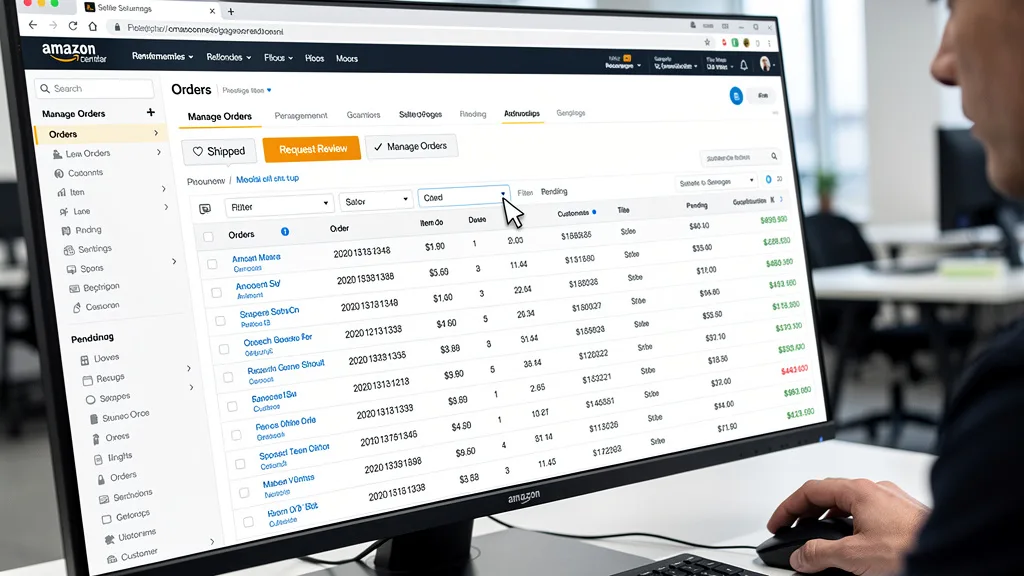
Beyond building trust, reviews are a major key to visibility. Amazon's A9 algorithm considers both the quantity and quality of customer reviews when determining a product's search ranking. Products with a higher star rating and more reviews are more likely to appear at the top of search results, leading to increased traffic and, consequently, more sales. A strong review profile creates a virtuous cycle: better visibility leads to more sales, which in turn provides more opportunities to gather reviews.
"Positive customer reviews are the lifeblood of any Amazon business. They are the single most important factor in driving conversions and building brand trust for 7 and 8-figure sellers."
5 Proven Methods to Get More Amazon Reviews in 2026
Generating a consistent flow of reviews is a multi-faceted process that requires a proactive and compliant approach. As an Amazon seller, you have several tools and strategies at your disposal. The key is to make it as easy as possible for happy shoppers to share their experiences while remaining strictly within Amazon's terms of service. These five methods are proven to work for brands focused on sustainable growth.
Method 1: Utilize Amazon's Official 'Request a Review' Button
The simplest and safest way to ask for a review is by using Amazon's own 'Request a Review' button. This feature is located within your Seller Central order details page for each order. When you click it, Amazon sends a standardized, pre-written email to the buyer that requests both a product review and seller feedback. This method is 100% compliant with Amazon's policies, removing any guesswork about wording or timing.
While this method is manual on a per-order basis, its effectiveness comes from its official nature. The request comes directly from Amazon, which can increase the likelihood of a customer responding. For sellers who are just starting with review solicitation or want to ensure absolute compliance, this should be the first tool you use. You can click this button once per order, anytime between 5 and 30 days after the delivery date.
Method 2: Automate Compliant Email Follow-Ups
For sellers with a high volume of orders, manually requesting reviews for each one is impractical. This is where automating your follow-up emails becomes essential. Using third-party review automation software, you can create and schedule compliant email campaigns that are sent to buyers after they receive their order. These tools can save you hundreds of hours and ensure a consistent review request process is in place.
When setting up automated emails, it is critical to adhere to Amazon's communication guidelines. Your messages must be neutral, and you cannot selectively request reviews only from customers you believe had a positive experience. The goal of these emails should be to provide good customer service and gently ask for an honest review. Integrating this with an effective Amazon PPC management strategy ensures you are maximizing the value of every customer you acquire.
Method 3: Use Product Inserts to Encourage Feedback
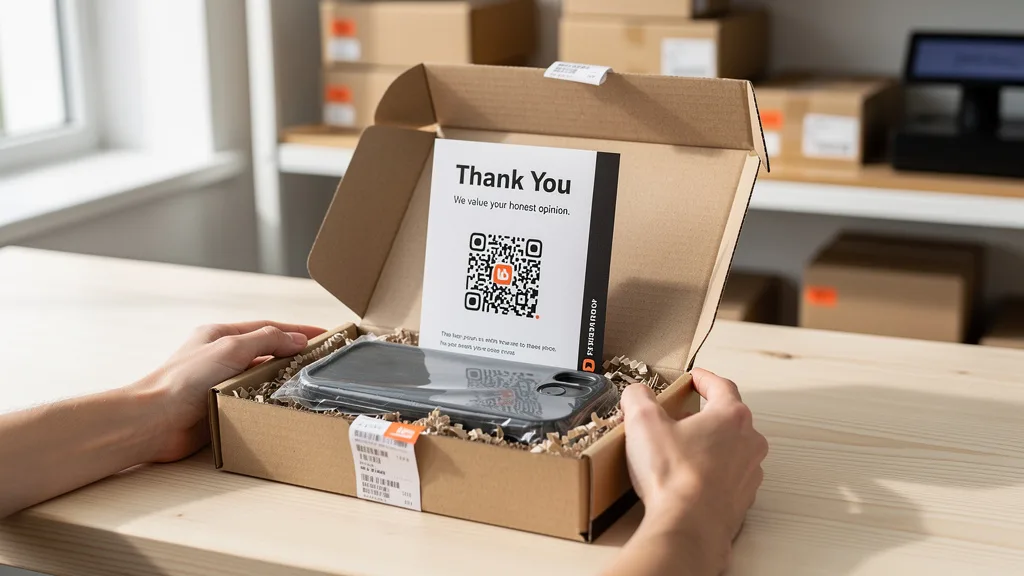
A product insert, such as a small card included in your product's packaging, is a great way to connect with your customer at the moment they are most engaged with your brand. This is your opportunity to thank them for their purchase and politely ask them to share their experience. A well-designed insert can reinforce your brand identity and make the customer feel valued.

However, you must be extremely careful with your wording. Your insert cannot offer any incentive for a review, nor can it ask for a positive review specifically. Language like, "If you love our product, leave us a 5-star review!" is a violation. Instead, use neutral language like, "Thank you for choosing our brand! We'd love to hear your honest feedback. Please consider leaving a review on Amazon." This encourages feedback without manipulating the outcome.
Method 4: Leverage Social Media to Engage Your Buyers
Building a community around your brand on social media platforms can be a powerful, indirect way to generate reviews. By engaging with your customers on platforms like Instagram, Facebook, or TikTok, you create a loyal following. You can share user-generated content, run contests (not tied to reviews), and provide value that goes beyond the product itself.
Once you have an engaged community, you can occasionally post a general call to action. For example, you could share a post saying, "To all our amazing customers, your feedback helps our small business grow! If you've enjoyed our product, we'd be grateful if you shared your experience in an Amazon review." This approach works because you are asking a community of brand fans, rather than cold-messaging individual buyers, making it feel more organic and less transactional.
Method 5: Respond to Existing Reviews to Build Community
Engaging with the reviews you already have, both positive and negative, shows potential buyers that you are an attentive and caring seller. When a customer leaves a positive review, leaving a public comment thanking them reinforces their good feeling and shows others you appreciate your customers. This small gesture can go a long way in building brand loyalty.
Responding to negative reviews is even more critical. A prompt, professional, and helpful response can sometimes turn a negative experience around. Offer to solve the customer's problem and take the conversation offline to handle specifics. This demonstrates to all shoppers that you stand behind your product and offer excellent customer support, which can mitigate the damage of the negative review and encourage other buyers to purchase with confidence. These are key parts of the overall guidelines on how to get reviews on Amazon.
Amazon's Review Solicitation Policy: What Not to Do
While getting more reviews is a priority, doing it the wrong way can lead to account suspension or even a permanent ban. Amazon takes review manipulation very seriously to protect the integrity of its platform. Understanding what not to do is just as important as knowing the right methods to use. Violating these policies can undo all your hard work in an instant.
Prohibited Actions That Can Risk Your Seller Account
Amazon's list of prohibited actions is extensive, and ignorance is not a valid defense. Any attempt to artificially inflate your review count or star rating is considered manipulation. This includes actions that might seem harmless but are designed to steer customers toward leaving a positive review. Protecting your seller account should always be your top priority, which means adhering to these rules without exception.

To help you stay compliant, here is a clear breakdown of actions that are strictly forbidden by Amazon.
| Prohibited Action | Why It's Risky | Compliant Alternative |
|---|---|---|
| Offering compensation (gift card, discount, free product) for a review. | This is considered review manipulation and can lead to immediate account suspension. | Use the 'Request a Review' button or a neutral product insert. |
| Asking only for positive reviews or from happy customers. | This is review cherry-picking and violates Amazon's policy against biased solicitation. | Ask all customers for their honest feedback, regardless of their experience. |
| Asking a customer to change or remove a negative review. | This is considered pressuring the customer and is a strict violation. | Respond publicly to the negative review, offer a solution, and learn from the feedback. |
| Using friends, family, or employees to write reviews. | Amazon's algorithm can detect relationships and will remove the reviews and penalize your account. | Enroll in the Amazon Vine program to get reviews from vetted, unbiased reviewers. |
The Fine Line Between Encouragement and Manipulation
Navigating Amazon's policies requires understanding the subtle but crucial difference between encouraging honest feedback and manipulating the outcome. Encouragement is neutral. It involves making it easy for a customer to leave a review and asking for their genuine thoughts, good or bad. This is what gives other buyers confidence and provides you with valuable product feedback.
Manipulation, on the other hand, involves any action that attempts to influence what the customer writes or what their star rating will be. This includes using leading language like, "Had a 5-star experience? Let us know!" or offering any kind of reward. Even trying to divert unhappy customers to your own support channel while sending happy ones to the review page is a form of manipulation that can get you into trouble. A good rule is to keep all communication focused on the customer's honest experience, not your desire for those warm fuzzies from a 5-star rating. This is a core tenet of any good 2026 guide to get Amazon reviews and solid Amazon listing optimization and SEO.
Key Takeaways
Scaling your Amazon brand requires a strategic and compliant approach to gathering customer feedback. Remember these key points to build a powerful review profile that drives sustainable growth for your business.
- Compliance is Non-Negotiable: Always follow Amazon's terms of service. Never incentivize reviews or attempt to manipulate feedback, as the risk to your account is too great.
- Use Amazon's Tools: The 'Request a Review' button is your safest and simplest method for soliciting feedback. For brand-registered sellers, the Amazon Vine program is an excellent way to get early reviews for new products.
- Automate and Systematize: For sellers with significant order volume, using compliant automation software for review requests saves time and ensures consistency.
- Engage Your Customers: Use product inserts and social media to build a community and encourage feedback organically. Respond to all reviews, both positive and negative, to show you value customer input.
- Reviews Drive the Flywheel: More reviews lead to higher search rankings, better conversion rates, and more sales. Implementing these 5 easy methods to get more Amazon customer reviews is a direct investment in your brand's long-term success.
Frequently Asked Questions
How do you get a lot of reviews on Amazon quickly?
Getting a large number of reviews quickly requires a multi-pronged approach at launch. The most effective method is enrolling your product in the Amazon Vine program, which provides your product to trusted reviewers for honest feedback. You should also have an automated email sequence and a product insert ready from day one.
Combining these strategies with a successful product launch that generates high initial sales volume will maximize your opportunities for review collection. However, be cautious of anything that promises reviews too quickly, as unnaturally fast review velocity can trigger scrutiny from Amazon.
Can you incentivize customers to leave an Amazon review?
No, you absolutely cannot incentivize customers to leave a review. Offering any form of compensation, such as a discount, gift card, or free product, in exchange for a review is a severe violation of Amazon's policies. This applies whether you ask for a positive review or just a review in general.
Violating this rule can result in the removal of your reviews, loss of selling privileges, or even permanent account suspension. The only permitted program where products are exchanged for reviews is Amazon Vine, which is managed entirely by Amazon to ensure impartiality.
How do you get picked for the Amazon Vine review program?
Sellers don't get "picked" for Vine; you enroll your products into the program. To be eligible, you must be a professional seller who is brand-registered, have fewer than 30 reviews on the product listing, and have available FBA inventory. Your product must also meet other specific eligibility criteria.
Once you enroll an ASIN, Amazon offers your product to a select group of its most trusted reviewers, known as Vine Voices. These reviewers receive the product for free and are expected to leave an honest, unbiased review. Following a comprehensive Amazon listing optimization checklist before enrollment can improve your results.
Does responding to negative reviews help your seller rating?
Responding to a negative review does not directly change your seller rating or the product's star rating. However, it is still incredibly valuable. A professional and helpful public response shows potential buyers that you are an attentive seller who provides excellent customer service and stands behind your product.
This can mitigate the damage of the negative review and give other customers the confidence to purchase. In some cases, if you solve the customer's problem, they may choose to update or remove their negative review, but you can never ask them to do so.
How long does it take for a customer review to appear?
Once a customer submits a review, it typically appears on the product detail page within 72 hours. However, this timeframe can vary. Amazon uses a combination of automated systems and human moderators to check reviews for compliance with their community guidelines before they are published.
During peak shopping seasons, like the holidays, or if a review is flagged for manual inspection, it may take longer than 72 hours to appear. It's important to be patient and not to resubmit requests if a review doesn't show up immediately.
Conclusion
Mastering the art of getting more Amazon reviews in 2026 is about consistency, compliance, and customer engagement. By implementing these five proven methods, you create a powerful system that not only boosts your review count but also enhances your brand's reputation and drives the sales flywheel. The next step is to audit your current process and identify which of these strategies you can implement or optimize this week to start building unstoppable momentum for your brand.
Ready to see how your listings stack up against the competition and uncover hidden opportunities for growth? My team and I can analyze your product listings, PPC campaigns, and overall account health to create a profit-focused scaling strategy. Get your no-obligation Free Audit today.