
Are you spending more time battling support cases than you are growing your Amazon business? Getting a fast and effective resolution from Amazon can feel like a maze, but it doesn't have to be. With the right strategy, you can navigate the system efficiently and get the answers you need to protect your listings, revenue, and account health.
To get help fast from Amazon Seller Support in 2026, you must be prepared, concise, and persistent. This involves gathering all necessary information like ASINs or Order IDs before contact, selecting the correct issue category within Seller Central to ensure proper routing, writing a clear and simple request, and knowing when to politely request an escalation to a manager or specialist team for complex problems.
Understanding Your Amazon Seller Support Options
Before you can get help, you need to know where to look. Amazon provides several channels and tiers of support, and choosing the right one is critical for a speedy response. The level of support you receive is primarily determined by your seller account type: Individual or Professional. Understanding this distinction is the first step toward streamlining your communication.
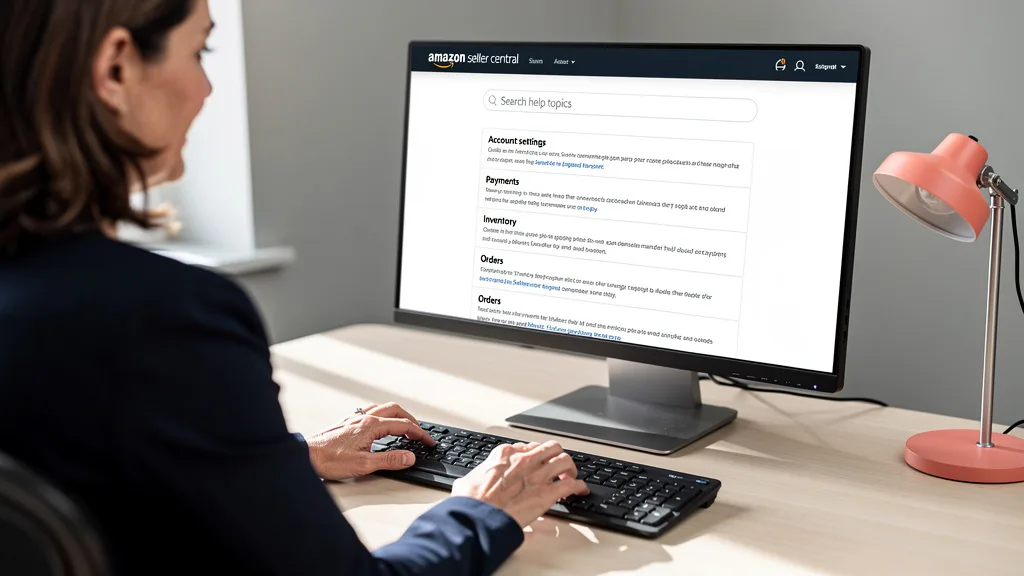
Each contact method, whether email, phone, or chat, serves a different purpose. Misusing these channels, such as requesting a phone call for a simple documentation request, can lead to unnecessary delays. Aligning your issue's urgency and complexity with the appropriate contact method ensures your case is handled by the right team from the start.
Support Tiers for Individual vs Professional Sellers
The most significant difference in support access comes down to your selling plan. Professional Sellers, who pay a monthly subscription fee, are given priority access to more direct support channels, including the crucial phone callback feature. This is essential for urgent issues like listing suspensions or payment problems where real-time conversation is necessary.
Individual sellers, on the other hand, typically have more limited options, often restricted to email-based communication through case logs. While still effective for many issues, the response times can be longer, and the back-and-forth nature of email can draw out the resolution process. For any serious brand owner, the enhanced support alone often justifies the Professional plan fee.
| Feature | Individual Seller Plan | Professional Seller Plan |
|---|---|---|
| Primary Contact Method | Email (via Case Log) | Email, Phone Callback, Chat |
| Phone Support | Not available | Available (Callback Request) |
| Chat Support | Limited availability | Generally available |
| Response Time | Typically 24-48 hours | Often within 12-24 hours; phone callbacks can be minutes |
| Escalation Priority | Standard | Higher |
When to Use Email, Phone, or Chat Support
Choosing the correct communication channel is a strategic decision. Use the email option (opening a case) for non-urgent issues that require detailed documentation, such as reimbursement requests for damaged FBA inventory or correcting minor listing details. This creates a clear paper trail that you can reference later.
Request a phone callback for complex or urgent problems that are difficult to explain in writing. This includes situations like a suppressed buy box, a hijacked listing, or an account health warning. A direct conversation allows you to clarify details and ensure the support agent fully understands the issue's impact on your business. Use the chat function for quick, straightforward questions like checking a case status or asking for clarification on a policy.
How to Contact Amazon Seller Support: A Step-by-Step Guide
Navigating the Seller Central interface to contact support can be confusing, as the options change based on the problem you describe. Following a structured process ensures you don't get lost in a loop of help articles and can submit your case to the correct department on the first try.
Step 1: Gather All Necessary Information and IDs
Before you even click the 'Help' button, you must act like a detective. A support agent can only help you as effectively as the information you provide. Create a document or have the following details ready to copy and paste into your case. This simple preparation can cut your resolution time in half.
- ASIN(s) or FNSKU(s): For any product-specific issue.
- Order ID(s): For problems related to a specific customer order.
- Shipment ID: For FBA inbound shipment inquiries.
- Previous Case ID(s): If you are following up on an existing, unresolved issue.
- Screenshots: Visual proof of the error, policy warning, or listing issue. Annotate them to point out the exact problem.
- A brief, clear summary of the problem: Write it out beforehand so you can communicate it concisely.
Step 2: Navigate to the Help Page in Your Seller Central Account
Once you are logged into your Seller Central account, locate the "Help" link in the top-right corner of the page. Clicking this will open a pop-up window or a new page with common questions and a search bar. Ignore the suggested articles for now unless your issue is very common. Your goal is to get to the contact form.

Scroll down and look for a button or link that says "Get Support" or "Contact Us." This will typically be under a heading like "Need more help?" This is your gateway to creating a formal case. Amazon's interface changes, but the principle of looking for the direct contact link remains the same.
Step 3: Select the Correct Issue and Contact Method
This is the most critical step for fast routing. You will be presented with a choice: "Selling on Amazon" or "Advertising and Stores." Choose "Selling on Amazon" for most issues related to your account, inventory, or orders. From there, you'll need to describe your issue or browse for it in a menu. Be as specific as possible.
For example, instead of typing "listing problem," use a more precise phrase like "update product detail page" or "FBA inventory question." Amazon's system uses these inputs to route your case to a specialized team. After you define your issue, the system will present you with the available contact methods (Email, Phone, Chat) based on the problem type and your account status. Amazon FBA Pakistan guide.
Step 4: Open Your Case and Submit Your Request
You've reached the final step: creating the case. On the contact form, you will have a text box to explain your issue. This is where your preparation pays off. Paste your pre-written summary and all relevant IDs. Attach your screenshots and any other supporting documents. Double-check that all the information is accurate.
If you've selected the phone option, you will enter your number and request a callback. Be ready to answer when they call, as they usually ring within minutes. If using email, click submit and make a note of your new Case ID. You will receive an email confirmation, and all future correspondence should happen within that case log.
Best Practices for Getting a Faster Resolution in 2026
Simply knowing how to open a case isn't enough. To truly master Amazon Seller Support: How to Get Help Fast in 2026, you need to adopt a set of best practices that demonstrate your professionalism and make it easy for the support agent to resolve your issue. The goal is to remove all friction and ambiguity from the process.
Writing a Clear and Effective Support Ticket
Your initial message is your first and best chance to get a quick resolution. Keep your language simple, professional, and free of emotion or frustration. Use short sentences and bullet points to break down complex issues. Start with a one-sentence summary of the problem, then provide the necessary background and IDs, and finally, state the exact outcome you are seeking.
"The most common mistake sellers make is writing long, emotional paragraphs. Support agents are dealing with hundreds of cases. Make their job easy: state the problem, provide the proof, and tell them exactly what you need. Clarity gets you to a resolution faster than complaining ever will."

For example, instead of saying "My listing is broken and I'm losing money!" try: "Request to update bullet point #3 for ASIN B0XXXXXXX. Current text is incorrect. Please update to: [New Text]. See attached screenshot of the policy-compliant text." This approach is actionable and requires no guesswork from the agent.
Knowing When and How to Escalate Your Case
If your case has been open for several days with no resolution, or if you receive a generic, unhelpful response, it's time to escalate. Do not open a new case for the same issue, as this can cause confusion and further delays. Instead, reply within the existing case and politely request an escalation. Use phrases like, "Thank you for your response. However, this does not resolve my issue. Please escalate this case to a manager or a member of the [relevant team, e.g., Brand Registry] leadership team for further review."
Escalating demonstrates that you have already attempted the standard process and require a higher level of expertise. Be persistent but always remain professional. If an agent closes a case prematurely, you can usually reopen it from your case log for a few days after closure and repeat your request for escalation. A professional Amazon PPC audit can often uncover underlying issues that lead to recurring support tickets, helping you solve problems at the source.
Using Specific Keywords for Internal Team Routing
Amazon's support system is heavily automated. The words you use in your case title and description act as signals that route your ticket to the right department. Using the correct internal terminology can significantly speed up the process. For example, if your issue is with an FBA shipment, make sure "FBA" and the "Shipment ID" are in the title.
For listing issues, use terms like "Product Detail Page Correction," "Suppressed Listing," or "Image Update." For intellectual property problems, use "Infringement Claim" or "Brand Registry Issue." Thinking like an Amazon insider and using their language helps the system categorize your problem correctly from the very beginning, avoiding the frustrating process of being transferred from one wrong department to another.
Leveraging Amazon Seller Forums for Community Answers
Sometimes the fastest way to get an answer isn't through official support channels at all. The Amazon Seller Forums are a valuable resource populated by thousands of new and veteran sellers who have likely faced the exact same problem you're experiencing. This peer-to-peer support can provide practical solutions and workarounds that official support might not offer.
How to Collaborate With Fellow Sellers for Solutions
When posting on the forums, follow the same principles as opening a support case: be clear, concise, and provide all relevant (but non-sensitive) information. Explain the problem and the steps you've already taken. Other sellers are more likely to help if you've done your initial homework.

Engage with the community by not only asking questions but also by offering help when you can. Building a reputation as a helpful member of the community can pay dividends when you have an urgent issue. Remember that while moderators (often Amazon employees) are present, the primary value comes from the shared experience of fellow sellers.
Finding Answers for Questions Outside of Official Support
Before opening a case or posting a new question, use the search function in the Seller Forums. It's highly probable that your question has been asked and answered before. You can find detailed guides, step-by-step solutions, and insights into unwritten Amazon rules that you won't find in the official help documentation. This is particularly useful for complex topics like optimizing your listings, which is a core part of a good Amazon SEO strategy.
The forums are an excellent place to get a 'gut check' on an issue. If you're unsure whether a certain tactic violates a policy, you can often get a consensus from experienced sellers. This can save you from making a costly mistake and help you find answers for questions that don't have a simple yes or no response.
How to Track and Manage Your Existing Cases
Once you've opened a case, your work isn't done. Properly managing your open cases is essential to ensure they move toward a resolution and don't fall through the cracks. Your Case Log in Seller Central is your command center for all support interactions.
Understanding Case Status: Pending Amazon vs Merchant Action
Every case in your log will have a status. The two most important are "Pending Amazon Action" and "Pending Merchant Action." "Pending Amazon Action" means the ball is in Amazon's court. They are reviewing your case, and you should wait for their response. There is nothing you need to do at this stage.
When the status changes to "Answered" or "Pending Merchant Action," it means Amazon has responded and is waiting for you. You must reply to their question or confirm if the issue is resolved. If you fail to respond within a few days, Amazon will automatically close the case, and you may have to start the process all over again.
Following Up on Open Cases Without Causing Delays
It can be tempting to repeatedly message an open case, but this is often counterproductive. Every time you add a new message to a case that is pending Amazon's action, you may bump it to the back of the queue. A good rule of thumb is to wait at least 48 hours before sending a polite follow-up message if the issue is not urgent.
Always reply within the same case thread. Do not open a duplicate case for the same issue, as this creates confusion and can slow down the entire process. If a case is closed but your issue persists, use the option to reopen it. This maintains the history of the interaction and gives the next agent the full context of your problem, which is especially important for complex issues related to Amazon listing optimization.
Key Takeaways
Navigating Amazon Seller Support effectively is a skill that directly impacts your bottom line. By being strategic and professional, you can turn a frustrating process into an efficient one. Here are the most important takeaways to remember:
- Preparation is Paramount: Always gather all necessary IDs, screenshots, and a clear problem summary before contacting support.
- Choose the Right Channel: Use phone callbacks for urgent/complex issues (Professional Sellers), email for documented requests, and chat for quick questions.
- Write with Clarity: Be concise, professional, and unemotional. State the problem, provide the evidence, and define your desired outcome.
- Know When to Escalate: If you're not getting a resolution, politely request an escalation to a manager or specialist team within the same case.
- Leverage Community Knowledge: Use the Seller Forums to find quick answers for common problems and learn from the experience of fellow sellers.
- Manage Your Case Log: Actively monitor your case statuses and respond promptly when action is needed from you.
Frequently Asked Questions
Is there a direct phone number for Amazon Seller Support?
No, there is no direct public phone number for Amazon Seller Support. However, Professional Sellers can request a callback through the Seller Central help interface. When you select an issue that qualifies for phone support, you will be prompted to enter your phone number, and an agent will typically call you back within minutes.
How long does it typically take to get a response?
Response times vary widely based on the issue's complexity and your seller plan. Phone callbacks are often the fastest, happening within minutes. Email responses (cases) for Professional Sellers usually arrive within 12-24 hours, while Individual Sellers may wait 24-48 hours or longer. Complex cases requiring specialist review can take several days or even weeks.
What are the main differences between seller support plans?
The primary difference is access and priority. Professional Sellers ($39.99/month) get access to phone and chat support, which is critical for urgent issues. They also generally receive faster response times on all cases. Individual Sellers (pay-per-item fee) are typically limited to email-based support with longer response windows.
Can I reopen a closed case if my issue is not resolved?
Yes, in most instances, you can reopen a case for several days after it has been marked as "Resolved" or "Closed." You can do this from your Case Log in Seller Central. Reopening the existing case is always better than creating a new one, as it preserves the conversation history for the next agent who reviews it.
What is the fastest way to get help for an urgent issue?
For Professional Sellers, the fastest way is to request a phone callback. When creating your case, select the most accurate and urgent-sounding category for your problem. In your description, use clear and concise language, including words like "Urgent," "Listing Suspended," or "Account Health Warning" to signal the severity. Providing all relevant IDs upfront will also expedite the process.
Conclusion
Mastering the art of communication with Amazon Seller Support is a non-negotiable skill for any brand owner aiming for 7 or 8-figure success. By following the structured approach of preparing thoroughly, communicating clearly, and managing your cases professionally, you transform support from a bottleneck into a tool. These strategies for 2026 will save you countless hours of frustration, protect your revenue streams, and allow you to focus on what truly matters: scaling your brand.
If you're tired of battling support tickets and want an expert partner to handle the complexities of Amazon while you focus on growth, a comprehensive brand audit is the first step. We can identify the hidden issues in your listings and PPC campaigns that are holding you back. Get your Free Audit today and let's build a clear path to scaling your profits.