
Are you looking for a free, powerful way to engage shoppers on Amazon, build your brand, and drive sales without increasing your ad spend? As a 7-figure brand owner, you know that every click and impression counts. Mastering new tools before your competitors is key to scaling, and Amazon's own social-style content platform is a massively underutilized asset for growth.
To effectively how to use Amazon Posts drive traffic and sales, you must treat it as a brand-building tool, not just another ad placement. By creating a stream of high-quality, lifestyle-focused content, you can capture customer attention, tell your brand story, and direct shoppers to your product detail pages. This feature helps you build a loyal following directly on the platform where purchasing decisions are made, increasing both visibility and conversion rates for your brand in 2026.
What Are Amazon Posts and How Do They Work?
Amazon Posts are a browse-and-discover experience on Amazon that functions similarly to a social media feed. This feature allows brands to publish curated, lifestyle-focused content that links directly to their product detail pages. Think of it as Amazon's version of Instagram, designed to help shoppers explore products and brands through engaging imagery and storytelling. It provides a unique opportunity to connect with potential customers on an emotional level, moving beyond the standard product title and bullet points.
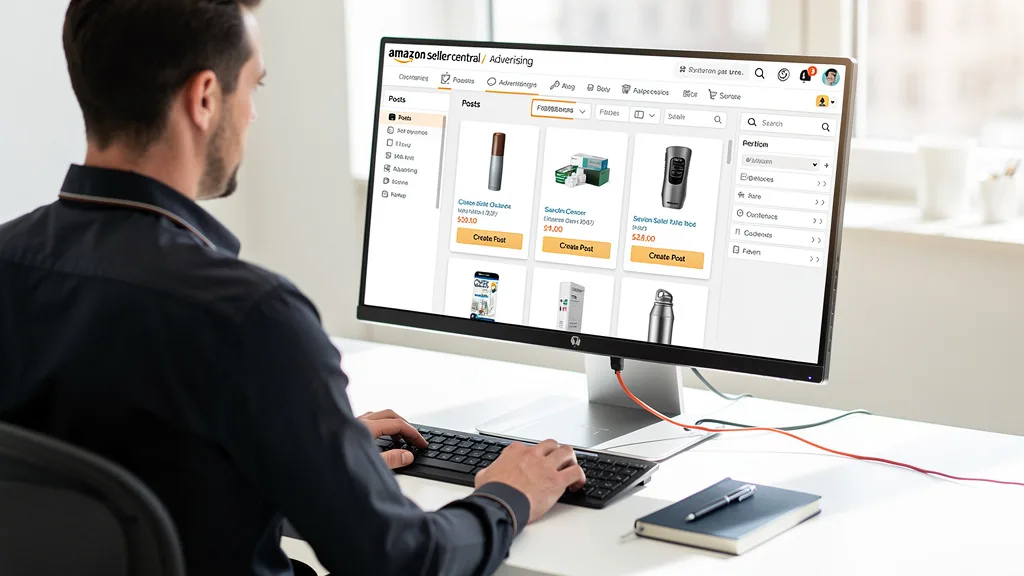
These posts appear in various high-visibility placements across the Amazon platform, including on your own product detail pages, on competitor pages, in category-based feeds, and on your brand's storefront. When a shopper taps on your post, they can be taken to a feed of your brand's content or directly to the product you've tagged. This creates new pathways for discovery and helps Amazon Posts serve as a powerful, free tool to interrupt the typical search-and-buy journey and introduce your brand to new audiences.
Why Use Amazon Posts: Key Benefits for Sellers
The primary benefit of using Amazon Posts is the ability to drive free, organic traffic to your product listings. In a marketplace where advertising costs are constantly rising, having a no-cost method to increase visibility is a significant advantage. By consistently publishing content, you create more touchpoints for customers to discover your products, which can lead to increased sessions, click-through rates, and ultimately, more sales.
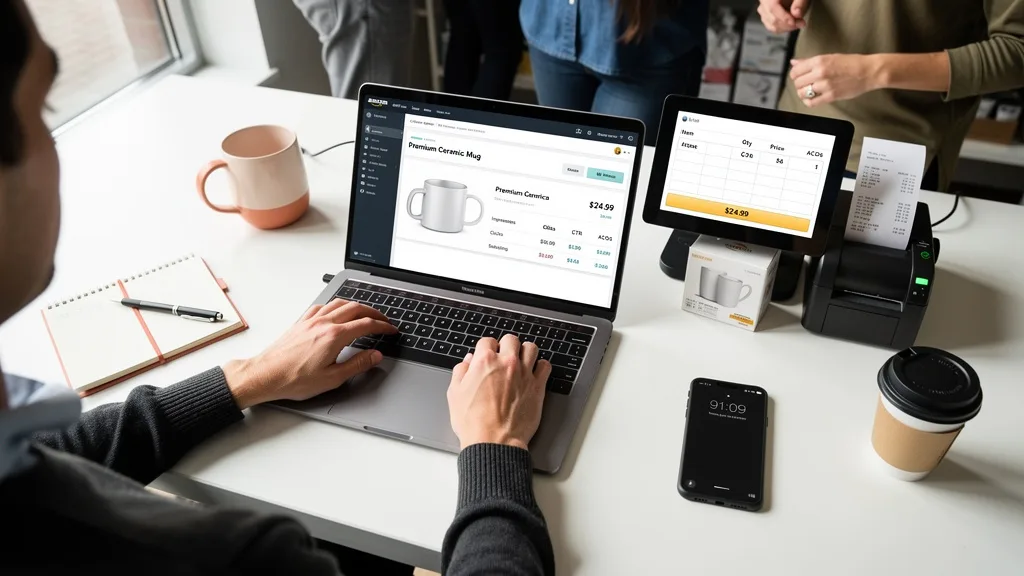
Beyond traffic, Posts are an invaluable tool for brand building. They allow you to showcase your brand's personality and values through visual storytelling, creating a deeper connection with your audience. This is a continuation of brand identity that helps you stand out in a crowded market. You can use Posts to highlight product features, share user-generated content, or tell the story behind your brand, helping to build trust and loyalty among shoppers.
"For 7-figure sellers aiming to scale, Amazon Posts are no longer optional. They are a core component of a defensive and offensive brand strategy, allowing you to engage customers on your listings and conquest traffic from competitors, all while reinforcing your brand's unique value proposition without additional ad spend."
How to Create Your First Amazon Post: A Step-by-Step Guide
Getting started with Amazon Posts is a straightforward process for eligible sellers. The platform is designed to be user-friendly, allowing you to quickly create and publish content that can immediately begin reaching shoppers. Following these steps will ensure you set up your first post correctly and position your brand for success on this powerful channel.
Step 1: Confirm Your Brand Registry Eligibility
Before you can create a post, you must be a seller with a brand enrolled in the Amazon Brand Registry. This is a non-negotiable prerequisite. Brand Registry provides access to a suite of tools designed to help you build and protect your brand, and Posts is one of the key marketing features included. You must also have an active Amazon Store for your brand in the United States.

If you have not yet enrolled, you should make this your top priority. The process involves providing proof of a registered trademark. Once approved, you will gain access to Posts and other powerful features like A+ Content and Brand Analytics. This foundational step is crucial for any serious brand owner looking to maximize their presence and control on the platform.
Step 2: Navigate to the Posts Publisher
Once your Brand Registry status is confirmed, accessing the Posts publisher is simple. Log in to your Seller Central or Advertising Console account. From the main menu, navigate to 'Advertising' and then select 'Posts'. This will take you to the main Posts dashboard, where you can create new posts, view your existing content feed, and access performance metrics.
Bookmark this page for easy access, as you will be returning here regularly to manage your content strategy. The interface is intuitive, featuring a prominent 'Create Post' button to begin the process. The dashboard provides a central hub for all your brand's social-style marketing activities on Amazon.
Step 3: Upload High-Quality Creative Assets
The visual element of your post is the most critical component for capturing a shopper's attention. You must upload a high-quality image that is clear, engaging, and adheres to Amazon's creative policies. Avoid text-heavy graphics, busy collages, or images with distracting watermarks. The focus should be on a compelling visual that tells a story or showcases your product in an appealing way.
Amazon Posts supports standard image formats like JPG and PNG, with a recommended aspect ratio of 1:1 (square) for best results across all placements. The image should be at least 640x640 pixels, but higher resolution is always better. Using professional photography or well-designed graphics that align with your brand's aesthetic is essential for making a strong impression and encouraging clicks.
Step 4: Write a Compelling and Actionable Caption
Your caption is your opportunity to provide context, communicate value, and encourage action. Keep your text concise and engaging, with a character limit of 2,200 characters. However, only the first two lines are immediately visible in many placements, so make your opening hook powerful. You can use this space to highlight key product benefits, share a customer testimonial, or ask an engaging question.
A strong call-to-action (CTA) is crucial. While Posts don't support custom links, you can guide the customer's next step with phrases like "Tap to shop our new collection" or "Discover all the colors available." The goal is to bridge the gap between discovery and purchase. A well-written caption complements your image and is a key part of an effective Amazon listing optimization strategy, turning passive browsers into active shoppers.
The final step before publishing is to tag the product or products featured in your post. You can tag up to 10 products from your catalog in a single post. When a shopper taps on the tagged product icon, they will be taken directly to that product's detail page. This is the mechanism that drives traffic and sales, so ensure your tagging is accurate.
After uploading your image, writing your caption, and tagging your products, you can either publish the post immediately or schedule it for a future date and time. Scheduling allows you to plan your content calendar in advance and maintain a consistent presence. Once you click 'Submit', your post will go through a brief review process before going live across the Amazon network.
Amazon Posts Best Practices for Driving Engagement
Simply creating posts is not enough; you need a strategy to maximize their impact. Following established best practices will help you create content that resonates with shoppers, enhances brand perception, and effectively drives traffic. These tips are designed to help you build a successful and engaging Posts presence.
Maintain a Consistent Visual Brand Identity
Your Amazon Posts should be an extension of your overall brand. Use a consistent color palette, typography, and photographic style that aligns with your website, social media, and other marketing materials. This consistency helps build brand recognition and trust. When shoppers see your posts, they should instantly recognize them as yours.

This continuation of brand identity helps differentiate you from competitors. A cohesive visual strategy makes your brand feed look more professional and curated, encouraging shoppers to follow your brand and explore more of your content. Avoid random or disjointed images that don't fit a unified theme.
Showcase Products in Lifestyle Contexts
While standard product-on-white-background images are essential for your main detail page, Posts are the place for lifestyle imagery. Show your products in use by real people in real-world scenarios. This helps shoppers visualize themselves using your product, creating an emotional connection that sterile studio shots cannot achieve.
For example, if you sell kitchen gadgets, show a family happily cooking a meal together. If you sell outdoor gear, feature images of your products on a scenic hiking trail. This type of content is more engaging and shareable, and it effectively communicates the benefits and experience of owning your product, which can help the discovery of new products by customers.
Leverage Strategic Hashtags for Customer Discovery
Amazon Posts supports the use of hashtags, but they function differently than on platforms like Instagram. On Amazon, hashtags are primarily used to categorize your content and link it to related product categories and feeds. When a shopper clicks a hashtag, they are taken to a feed of posts with that same tag.
Use a mix of broad and specific hashtags relevant to your product and target audience. For instance, a post about a yoga mat could include #Yoga, #Fitness, #WorkoutFromHome, and #SelfCare. This helps your content appear in relevant discovery feeds, increasing its reach beyond your immediate followers and product pages.
Establish a Regular Posting Cadence
Consistency is key to building an audience and maximizing visibility with Amazon Posts. Aim to publish new content several times per week. A regular cadence keeps your brand top-of-mind and ensures a steady stream of fresh content is being distributed across the various placements on Amazon.
Use the scheduling feature to plan your posts in advance and maintain your publishing frequency without daily effort. A consistent presence signals to both Amazon's algorithm and to customers that your brand is active and engaged. Over time, this helps build a loyal following and a robust content library that continuously drives traffic.
Measuring the ROI of Your Amazon Posts
Like any marketing effort, it's essential to measure the performance of your Amazon Posts to understand their impact and optimize your strategy. Amazon provides a dedicated analytics dashboard that offers valuable insights into how shoppers are interacting with your content. Tracking these metrics is fundamental to justifying the time investment and refining your approach for better results.
By regularly reviewing your performance data, you can identify which types of images, captions, and products resonate most with your audience. This data-driven approach allows you to double down on what works and phase out what doesn't, improving the overall return on investment of your content marketing efforts on the platform.
Key Metrics to Track: Impressions, Clicks, and Reach
The Posts analytics dashboard focuses on several key performance indicators (KPIs) that tell the story of your content's effectiveness. Impressions measure how many times your posts were shown to shoppers, while Reach indicates the number of unique shoppers who saw your posts. Clicks represent the number of times shoppers tapped on your post to view the content feed or a tagged product.
The click-through rate (CTR), calculated as Clicks divided by Impressions, is a critical metric for gauging engagement. A higher CTR suggests your creative and caption are compelling enough to make shoppers take action. Monitoring these metrics for each post will help you understand what content drives the most interaction. An effective Amazon PPC audit can also inform your organic strategy by revealing high-performing keywords and customer interests.
| Metric | Definition | Why It Matters |
|---|---|---|
| Impressions | The total number of times your post was displayed to shoppers. | Measures the overall visibility and exposure of your content. |
| Reachable Impressions | Impressions from new customers who have not seen your posts before. | Indicates your ability to attract new audiences and expand your brand's reach. |
| Clicks | The number of times a shopper clicked on your post, including the image, caption, or product tag. | Shows direct engagement and interest in your content or product. |
| Click-Through Rate (CTR) | The percentage of impressions that resulted in a click (Clicks ÷ Impressions). | The primary indicator of how compelling and relevant your post is to the audience. |
Using Performance Data to Optimize Your Strategy
Your performance data is a goldmine of actionable insights. Analyze which posts generate the highest CTR and try to identify common themes. Do lifestyle images outperform studio shots? Do shorter captions get more clicks than longer ones? Does asking a question in your caption increase engagement? Use these findings to create a set of internal best practices for your brand.
Furthermore, pay attention to the metrics on a product level. If posts featuring a specific product consistently perform well, consider featuring it more often or even creating a dedicated Amazon PPC management campaign to amplify its success. Conversely, if posts for another product consistently underperform, it may indicate a mismatch between your content and customer expectations, signaling a need for a strategic pivot.
Key Takeaways
Successfully leveraging Amazon Posts is a strategic imperative for brand growth in 2026. This free tool offers a direct line to your customers, allowing you to build brand equity and drive sales without increasing your advertising budget. By focusing on high-quality, lifestyle-oriented content and maintaining a consistent posting schedule, you can create a powerful new channel for customer acquisition and engagement. product listings.
- Eligibility is Key: You must be enrolled in Amazon Brand Registry and have a US storefront to use Amazon Posts.
- Content is King: Use high-resolution, lifestyle images and compelling, concise captions to capture attention and drive clicks.
- Consistency Drives Results: Establish a regular posting cadence of several times per week to maintain visibility and build an audience.
- Measure and Optimize: Regularly analyze your performance metrics like CTR and clicks to understand what resonates with your audience and refine your content strategy.
- It's a Free Traffic Source: Mastering how to use Amazon Posts drive traffic and sales is one of the most cost-effective ways to scale your brand on the platform.
Frequently Asked Questions
How much do Amazon Posts cost to use?
Amazon Posts are completely free to use for eligible brands. There is no cost associated with creating, publishing, or promoting your posts. This makes it one of the most cost-effective marketing tools available to sellers on the platform, as it allows you to increase brand awareness and drive traffic to your product detail pages without any direct advertising spend.
The only investment required is the time and resources needed to create high-quality images and compelling captions. For brands already creating content for social media platforms like Instagram or Facebook, this content can often be repurposed for Amazon Posts, making the incremental effort minimal while providing significant potential upside in terms of on-platform engagement and sales.
Can you make $1,000 a month selling on Amazon?
Yes, it is entirely possible to make $1,000 a month in profit selling on Amazon, and many sellers achieve far more. However, it is not a get-rich-quick scheme. Success requires a solid strategy, including selecting the right products, optimizing your listings for visibility, managing inventory effectively, and utilizing Amazon's marketing tools like PPC advertising and Posts.
Achieving this level of profitability depends on your product's profit margins, sales velocity, and your ability to control costs like advertising and shipping. For new sellers, reaching this milestone often takes several months of consistent effort and learning. For established brands, the focus shifts to scaling strategies that can add thousands or tens of thousands in monthly profit.
How do you attract customers to your Amazon store?
Attracting customers to your Amazon Store involves a multi-faceted approach that combines both on-Amazon and off-Amazon strategies. On the platform, the most effective methods include robust Amazon SEO to rank your products high in search results, strategic Amazon PPC campaigns to capture buyer-intent traffic, and engaging content like A+ Content and Amazon Posts to build your brand and encourage exploration.
Driving external traffic from sources like social media, email marketing, and influencer collaborations can also be highly effective. Creating a strong brand presence outside of Amazon builds credibility and directs a loyal following to your listings. Ultimately, the key is to create a seamless customer journey that makes it easy for shoppers to discover, consider, and purchase your products.
What are the four P's of marketing on Amazon?
The classic four P's of marketing: Product, Price, Place, and Promotion, are highly relevant to selling on Amazon. 'Product' refers to having a high-quality item that solves a customer's problem, supported by excellent packaging and branding. 'Price' involves setting a competitive yet profitable price point, considering competitor pricing, perceived value, and Amazon's fees.
'Place' on Amazon is your digital shelf space: your product detail page and your visibility in search results and category pages. Optimizing your listing is crucial for securing a good 'place'. Finally, 'Promotion' encompasses all the ways you drive visibility and sales, including Amazon PPC, deals and coupons, and brand-building tools like Amazon Posts and your storefront.
How often should you publish new Amazon Posts?
For optimal results with Amazon Posts, you should aim for a consistent posting cadence of at least 3-5 times per week. Some top brands post daily to maximize their visibility and engagement opportunities. The goal is to create a steady stream of fresh content that keeps your brand in front of shoppers across the various placements where Posts appear.
More important than the exact frequency is consistency. Sporadic posting is less effective than maintaining a regular, predictable schedule. Use the scheduling tool to plan your content a week or two in advance. This ensures your content feed remains active, which signals to both Amazon's algorithm and your customers that your brand is engaged and current.
Conclusion
Mastering Amazon Posts in 2026 is a crucial strategy for any serious brand owner looking to scale from 7 to 8 figures. This free feature provides a unique channel to build your brand story, engage shoppers with lifestyle content, and drive qualified traffic directly to your listings. By integrating Posts into your daily marketing operations with a focus on quality, consistency, and data-driven optimization, you can create a significant competitive advantage and unlock new avenues for profitable growth.
If your brand is generating 7-figures but you're struggling to implement advanced strategies like Posts or optimize your PPC for profit, it might be time for an expert review. I help brand owners like you identify missed opportunities and build a scalable growth engine on Amazon. To see how your listings stack up, get your complimentary Free Audit today.