Table of Contents 7 sections
Are you leaving money on the table by ignoring Amazon's strict character limits? For 7-figure sellers aiming to scale, every character in your listing is prime real estate. Going over the limit can get your keywords de-indexed or your entire listing suppressed, while staying too far under means you are wasting valuable space to persuade and convert shoppers. Mastering these limits is a non-negotiable part of professional Amazon account management.
An Amazon character counter is a tool that measures the length of your text to ensure it complies with Amazon Seller Central's specific limits for fields like titles, bullet points, and backend keywords. Using one is critical because exceeding these limits can cause your listing to be suppressed or prevent your keywords from indexing, making your product invisible to potential customers. Proper use ensures full optimization and maximum visibility.
Why Character Counts Matter for Your Amazon Listings
In the hyper-competitive Amazon marketplace, visibility is everything. Character counts are not arbitrary rules; they are fundamental to how Amazon's A9 algorithm indexes and ranks your products. When you adhere to the specified limits for each field, you ensure that every keyword and feature you've meticulously researched has a chance to be seen by the algorithm and, more importantly, by your customers. Ignoring these limits is one of the most common and costly mistakes that can stall a brand's growth.
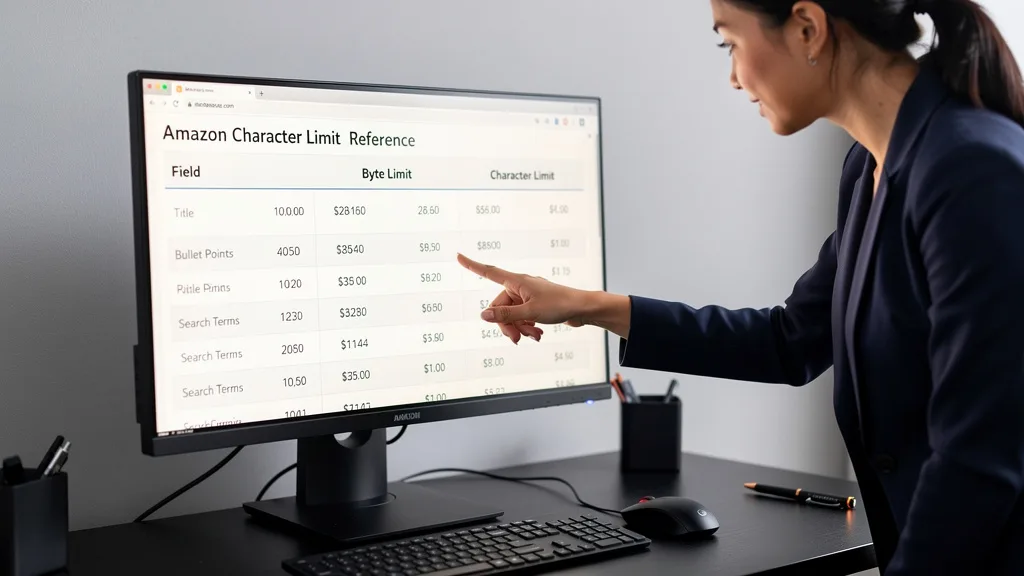
Beyond simple compliance, strategic use of character counts directly impacts your conversion rates. A well-crafted title that uses its space effectively can increase click-through rates from search results. Bullet points that are concise yet comprehensive help shoppers make faster buying decisions. Even hidden backend search terms must fit within their byte limits to be indexed. Effectively managing character counts is a core component of Amazon listing optimization and SEO, transforming your product page from a simple description into a powerful sales tool.
Understanding Amazon's Limits: Characters vs Bytes
A common point of confusion for sellers is the distinction between character limits and byte limits. A character is a single letter, number, or symbol as you would type it. A byte, on the other hand, is a unit of digital information. For standard English letters and numbers (ASCII characters), one character equals one byte. This is straightforward and easy to track.

The complexity arises with special characters, symbols, or letters from other languages. These can be multi-byte characters, meaning a single symbol like an emoji (👍) or a registered trademark symbol (®) can take up two, three, or even four bytes. Amazon uses byte limits, particularly for backend search terms, to maintain database consistency. This means if you use special symbols, you could hit the byte limit long before you reach the character limit, causing your keywords to be truncated and ignored by the A9 algorithm without any warning.
Amazon Character Limits for Seller Central Fields in 2026
Amazon's character limits can vary by category and may change over time. As of 2026, it is essential to follow the current guidelines to ensure your listings remain compliant and fully optimized. While some fields have hard limits enforced by the system, others have style guide recommendations that are critical for ranking and customer experience. Using a reliable Amazon character counter helps you stay within these precise boundaries.
Title and Brand Name Limits
Your product title is arguably the most important piece of copy on your listing. Amazon generally recommends keeping titles under 200 characters for most categories, though some may have stricter limits. The key is to be concise yet descriptive, including your main keywords at the forefront. A title that is too long can be truncated on mobile devices, which account for a majority of Amazon traffic, hiding crucial information from shoppers.

The brand name field is much simpler, typically limited to 50 characters. It's crucial that this field exactly matches the brand name registered with Amazon Brand Registry. Any deviation can lead to listing errors or a loss of brand-gated protections. Always double-check this field for accuracy and length before saving your listing.
Bullet Points (Key Product Features)
For bullet points, or key product features, Amazon's technical limit is often 500 characters per bullet. However, the best practice for conversion and mobile readability is to keep each bullet point under 200-250 characters. Most shoppers scan these points quickly to understand the product's main benefits.
Using all 500 characters can result in a dense wall of text that shoppers will skip. Instead, focus on creating five scannable, benefit-driven bullet points that highlight what makes your product unique. Start each bullet with a capitalized phrase to grab attention and use the space to solve a customer's problem or answer a potential question.
Product Description Guidelines
The standard product description field allows for up to 2,000 characters. This is your space to tell a more detailed story about your product, expand on the features mentioned in the bullet points, and include secondary keywords. While you have more room to work with, it's still vital to structure the text for readability with short paragraphs and clear headings.
For brands enrolled in Brand Registry, this section is replaced by A+ Content. A+ Content doesn't have a strict character limit but is instead structured through various text and image modules. Even within these modules, concise and impactful copy is far more effective than long, rambling paragraphs. The goal is always to communicate value quickly and efficiently.
Backend Search Terms and Keyword Limits
This is where the character versus byte distinction is most critical. The backend search term field has a strict limit of less than 250 bytes. Note that this is not 250 characters. If you include multi-byte characters, you will have fewer than 250 total characters available. Going over this byte limit will cause Amazon to ignore all the keywords in that field, not just the ones that exceed the limit.
To optimize this field, do not repeat keywords that are already in your title or bullets. Do not use punctuation like commas or semicolons, just single spaces between words. Include synonyms, common misspellings, and long-tail keywords that didn't fit elsewhere in your listing. A byte counter is essential for maximizing this space without getting your terms de-indexed.
Using an Amazon character counter is a straightforward process that can save you from significant ranking and indexing issues down the line. Integrating this simple check into your listing creation workflow is a habit that separates amateur sellers from professional 8-figure brands. Following these four steps will ensure every field in your listing is perfectly optimized for Amazon's algorithm.
Step 1: Choose Your Preferred Counting Method
First, you need to select a tool. You can use a simple online character counter, a dedicated Amazon-specific tool, or even a formula within a spreadsheet like Google Sheets or Excel. Online tools are quick and easy for one-off checks, while spreadsheet formulas are excellent for managing multiple listings or keywords at once. For backend keywords, it is crucial to choose a tool that specifically measures bytes, not just characters.
Step 2: Copy and Paste Your Listing Text
Once you've chosen your tool, the next step is to copy the text you've written for a specific field of your listing, such as your title, a bullet point, or your string of backend keywords. Paste this text directly into the input box of the character counting tool. Ensure you copy the text exactly as you intend to use it, including all spaces and punctuation, as these count towards the total.
Step 3: Analyze the Character and Byte Count
The tool will instantly display the results. Pay close attention to both the character count and, if available, the byte count. For fields like the title and bullet points, the character count is your primary concern. For the backend search terms field, the byte count is the only metric that matters. Compare the tool's output against Amazon's limits for that specific field.
Step 4: Optimize Your Text to Fit the Limits
If your text is over the limit, you must edit it down. Start by removing filler words, redundant phrases, or less important keywords. Look for opportunities to be more concise without losing the core message or value proposition. If you are under the limit, consider if you can add more relevant keywords or descriptive language to better inform the customer and the A9 algorithm. Repeat this process until your text fits perfectly within the allowed space.

Choosing the Right Character Counter Tool
With numerous options available, selecting the right character counter depends on your workflow and specific needs. Some sellers prefer a quick, web-based tool for fast checks, while others who manage extensive product catalogs might benefit from more integrated solutions. The most important factor is accuracy, especially the ability to differentiate between characters and bytes to avoid costly indexing errors with backend keywords. common and costly mistakes.
Online Tools vs. Spreadsheet Formulas: Which Is Better?
Online character counters are incredibly convenient. They are free, require no setup, and provide instant results. Their main drawback is that they are manual; you have to copy and paste text for every check. This can be inefficient if you are optimizing dozens of listings or keyword sets. You can find a useful free tool in our listing character counter guide.
Spreadsheet formulas, such as `=LEN()` for characters and `=LENB()` for bytes in Google Sheets or Excel, are more powerful for sellers working at scale. You can create a template to manage all your listing copy in one place, with character and byte counts automatically updating as you write. This method has a slight learning curve but offers superior efficiency and organization for professional sellers managing large product catalogs.
Best Free Amazon Character Counter Tools for 2026
For sellers looking for free options, there are many excellent choices available in 2026. Generic web-based tools like `charactercounttool.com` or `wordcounter.net` are reliable for basic character counting. For byte counting, which is essential for backend keywords, you'll need a more specialized tool. Some Amazon-focused consultancies and software providers offer free, web-based byte counters specifically designed for Seller Central optimization.
Additionally, using the `=LENB()` formula in a free Google Sheet is perhaps the most powerful free method available. It allows you to create a reusable template for all your listings. This approach not only counts bytes accurately but also helps you organize and archive your listing copy, making future updates and optimizations much easier to manage.
Popular Listing Optimization Suites with Counters
For serious sellers scaling their brands, investing in a comprehensive listing optimization suite is often the most efficient path. Tools like Helium 10, Jungle Scout, and SellerApp include advanced listing editors with real-time character and byte counters built directly into the interface. These tools often provide additional insights, such as keyword density scores and optimization suggestions, all in one place.
"Using an integrated tool with a live character counter saves us hours each week. Instead of copying and pasting, we can write, optimize, and check compliance within a single workflow, which is invaluable when you're managing hundreds of ASINs." - 7-Figure Amazon Brand Owner
While these suites come with a subscription fee, the time savings and advanced features they offer can provide a significant return on investment. They streamline the entire process from keyword research to final copy, ensuring that every part of your listing is perfectly optimized to drive traffic and sales. For those seeking alternatives, many newer platforms are emerging that offer similar functionality, often with a focus on specific niches or marketplaces.
Key Takeaways
- Compliance is Non-Negotiable: Adhering to Amazon's character and byte limits is essential for keeping your listings indexed and visible. Exceeding them can lead to suppression.
- Characters vs. Bytes: Understand that standard characters are 1 byte, but special symbols and emojis can be multi-byte. Use a byte counter for backend search terms, which have a strict limit of under 250 bytes.
- Optimize Every Field: Each part of your listing, from the title to the backend keywords, has a specific limit and purpose. Use the full space wisely to maximize keyword exposure and conversion.
- Choose the Right Tool: Use free online tools for quick checks, spreadsheet formulas for managing at scale, or integrated software suites for a complete, streamlined workflow.
- Regularly Audit Your Listings: Amazon's rules can change. Periodically review your top listings to ensure they remain compliant and fully optimized according to the latest 2026 guidelines.
Frequently Asked Questions
Are there any official character counting tools from Amazon Seller Central?
No, Amazon Seller Central does not provide an official built-in character or byte counting tool within its listing creation interface. While the system will prevent you from saving a field that is drastically over a hard technical limit, it often provides no warning for fields that are slightly over or for when you exceed the crucial byte limit in the backend search terms field.
This lack of a native tool is why third-party character counters are so essential for serious sellers. Relying on Amazon's system to catch errors is a reactive approach that can lead to de-indexed keywords without your knowledge. Proactively using an external tool ensures your listing is compliant and optimized from the moment you publish it.
How much do paid Amazon character counter tools typically cost?
The cost of these tools varies widely. Standalone, dedicated character and byte counters are often free or very low-cost. However, most paid tools are part of larger, all-in-one Amazon seller software suites that include features for keyword research, competitor analysis, and PPC management. These comprehensive platforms are a monthly subscription service.
Subscriptions for popular suites can range from around $30 per month for a basic plan to several hundred dollars per month for advanced plans designed for agencies or large brands. For many scaling businesses, the cost is justified by the efficiency gains and the competitive edge provided by the suite's integrated features. For a detailed breakdown of costs associated with selling, you might find our guide on Amazon PPC costs helpful.
Why does Amazon use byte limits for some fields instead of characters?
Amazon uses byte limits, especially in backend fields like search terms, to handle a global marketplace and the complexities of different languages and symbols. While standard English characters (A-Z, 0-9) each occupy one byte of data, characters from other languages, emojis, and special symbols (like © or ™) can require two, three, or even four bytes of storage space.
By setting the limit in bytes, Amazon creates a uniform technical standard for its database, ensuring that the total amount of data stored for each field is consistent, regardless of the language or characters used. This prevents database errors and ensures the search algorithm functions smoothly across all of Amazon's global sites. For sellers, it means you must be extra cautious when using any non-standard characters in byte-limited fields.
Do spaces and punctuation count towards Amazon's character limits?
Yes, absolutely. Every single character you type, including spaces, commas, periods, and hyphens, counts towards the total character limit for any given field. This is a critical detail that many new sellers overlook. When you are trying to maximize the keyword value of a 200-character title, every space is a character you could have used for a relevant search term.
This is why optimizing for character limits involves more than just fitting in keywords; it requires concise, efficient writing. For backend search terms, Amazon's guidelines specifically state to use spaces to separate keywords and to avoid punctuation like commas, as they are unnecessary and take up valuable bytes.
Can I use special characters or emojis in my Amazon listing?
While you technically can use some special characters and emojis in fields like your title and bullet points, it is generally not recommended. Amazon's style guides for most categories discourage their use, and they can sometimes cause rendering issues on different devices or browsers, appearing as generic squares (☐) instead of your intended symbol.
Furthermore, these symbols are often multi-byte characters, which can quickly consume your byte limit in fields like backend search terms. While a well-placed checkmark emoji might seem appealing in a bullet point, the potential risks of poor display and the wasted bytes often outweigh the benefits. It is safer and more professional to stick to standard text for maximum compatibility and compliance.
Conclusion
Mastering the use of an Amazon character counter is a fundamental skill for any brand serious about scaling on the platform. It transforms listing optimization from a guessing game into a precise, data-driven process. By understanding the difference between characters and bytes and applying the correct limits to each field, you ensure your products are perfectly positioned for Amazon's A9 algorithm. The next step is to make this a standard part of your workflow, auditing your listings regularly to maintain compliance and a competitive edge in 2026.
Ready to ensure your listings are perfectly optimized to attract more customers and drive sales? As an experienced Amazon consultant, I can help you identify hidden opportunities and fix costly errors that are holding your brand back. Request a comprehensive Free Audit of your Amazon listing today.
If you want help turning this into a concrete plan for your site or team, take the next step below to apply How to Use an Amazon Character Counter: Step by Step with confidence.
Ready to act on How to Use an Amazon Character Counter: Step by Step? Free Audit — tell us your goal, and we will help you pick the highest-leverage next step so you are not guessing alone.