Table of Contents 6 sections
How much can you spend on Amazon ads before every sale costs you money? To decide how to set an Amazon PPC budget for a new product launch, calculate what you can afford to spend per order, then multiply your expected cost per click by the number of clicks you want to test. Set a daily amount and a total test limit so you know when to review the results and when to stop spending.
For a first test, divide your planned spend by the number of days you want it to run. If you can risk $300 over 10 days and expect clicks to cost $0.75, start at $30 a day and plan for roughly 400 clicks if the full amount is spent at that rate. Compare the resulting cost per order with your margin before committing more money.
An Amazon PPC budget is the amount you plan to spend on pay-per-click ads for your listing over a set period. For a launch, you need a daily budget for each campaign and a total amount you can commit to the test. The campaign budget governs how much room the campaign has to spend, while your total limit tells you when to pause and review. You pay for clicks, so estimate how many clicks you can buy and how many orders those clicks may produce.
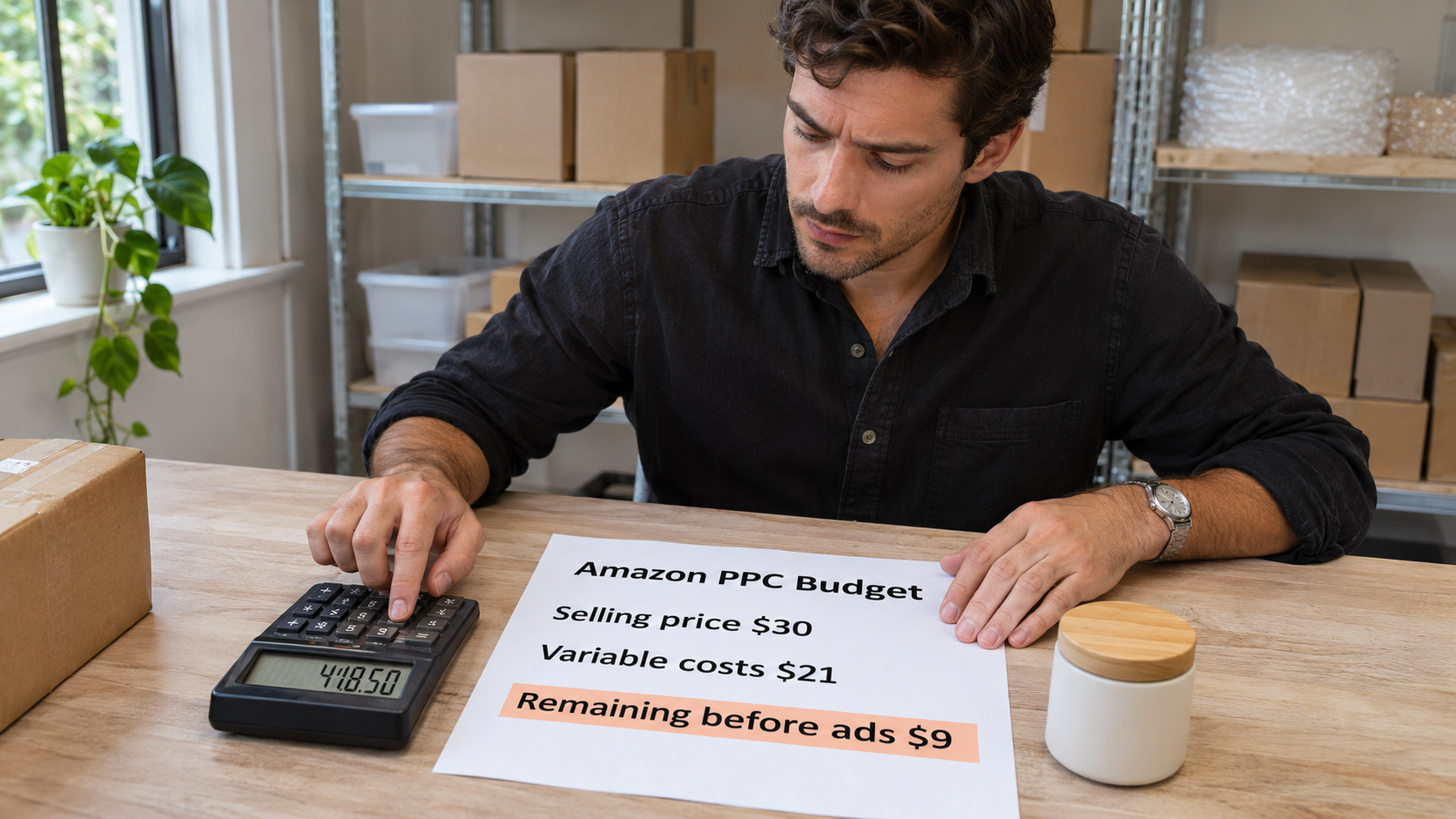
Start with your contribution margin per unit before ads. Subtract the product cost, Amazon fees, fulfillment costs, and other variable costs from the revenue you expect to receive on a sale. If a $30 sale leaves you $9 before ads, $9 is your break-even ad cost per order and 30% is your break-even advertising cost of sales, or ACoS, for that product under those assumptions. When a coupon reduces the selling price, recalculate what you keep after any applicable promotion costs.
Use your expected order rate to translate that $9 into a bid reference. At a 10% conversion rate, you expect about one order per 10 clicks, so your break-even average cost per click is $0.90. At a 5% conversion rate, that estimate falls to $0.45. For more context on estimating your inputs, see the Amazon PPC cost guide before committing your test budget.
Why start an Amazon in 2026
A defined launch budget gives you time to learn which searches bring in buyers while limiting what you can lose before your first review. A small number of orders can make one day look encouraging and the next look expensive. If you adjust bids and budgets after every swing, you'll have trouble telling whether performance changed because of the settings, the traffic mix, or ordinary variation. A planned review window also gives recent ad clicks time to turn into reported orders.
Decide what you want the first round of spending to prove. If your initial goal is to identify search terms that drive early sales, give closely related targets enough room to collect relevant data. If your budget is tight, choose fewer targets and specify the maximum loss you can absorb while testing. As you assess the results, compare how much each target spent with what you learned from its clicks and orders. break-even advertising cost of sales.
Keep your advertising goal tied to the listing and inventory you can support. A campaign can keep buying traffic even when a discount expires, the return to your regular list price changes conversion, or stock is running low. Record changes to the offer alongside your ad metrics so you can see whether a jump in cost per order coincided with a listing or pricing change. Use the platform's campaign guidance for the budgeting settings you see in your account. Amazon Sponsored Products guide.
How to Get Started with How to Set an Budget
Start with two Sponsored Products campaigns if your budget can support them. Use an automatic targeting campaign to learn which searches and product pages attract shoppers, and a manual targeting campaign to focus spend on a short list of relevant keywords or product targets. Keeping them separate lets you choose how much to spend on each purpose. If spreading the budget across two campaigns would leave each with very few clicks, start with the campaign that best matches your initial goal.
You can set a daily budget for each campaign in Amazon Ads. Build the starting amount from your assumed cost per click, your test window, and how many clicks you can afford to buy during that window. Check the budget behavior shown in your account and track cumulative spend against your separate launch limit, since actual spend can vary by day. Use the PPC budget calculator to compare a few scenarios before choosing how much to fund.
A good daily budget buys enough relevant clicks to help you make the next decision and fits the amount you can afford to spend. The examples below use a 10-day test and an assumed average click cost of $0.75. They show the volume you could buy if you spend the full amount at that average. At $1.50 per click, the same budgets would buy roughly half as many clicks.
| Daily budget | Planned 10-day spend | Estimated clicks | How to use the test |
|---|---|---|---|
| $15 | $150 | 200 | Focus on one narrow campaign or target group. |
| $30 | $300 | 400 | Fund a focused manual campaign and a small discovery test. |
| $60 | $600 | 800 | Give more relevant targets enough spend to evaluate. |
Best Practices for Setting an PPC budget
Review spend and search relevance early, then use order data to decide which targets deserve more budget. During the first few days, watch for search terms that clearly describe a different product, size, or use case. Add negative targeting when the mismatch is clear. Give relevant clicks time to convert before treating a short run without orders as proof that a target is unprofitable.
Increase a budget when the campaign is using its allocation and delivering orders at a cost you can support. If the campaign has money left and receives few impressions, look at bids, targeting, and ad eligibility before adding funds. If it gets clicks but few orders, check whether your main image, price, shipping promise, and product details match what shoppers expect from the search. Use the Amazon PPC management guide to connect those findings to campaign decisions.
Compare cost per order and ACoS at a level you can act on. If one search term spends $18 and produces three orders, its cost per ad order is $6. If another spends the same amount and produces one order, its cost is $18, even though the campaign average could hide that gap. Compare each figure with the margin that applies to those sales, and review the underlying calculations when the order value or selling price changes. Amazon ACoS guide.
“How to set an Amazon PPC budget for a new product launch starts with a practical question. What can you afford to pay for an order, and how much are you willing to spend to find out?”
Common Mistakes to Avoid
The most expensive mistake is increasing your daily budget before you know why the campaign needs more money. A campaign may exhaust its budget because expensive clicks absorb it quickly, even if those clicks rarely generate orders. Check which targets spent the most and compare their results with your allowable cost per order. If the costly clicks come from a few low-relevance terms, tighten targeting before you fund another round.
Another mistake is assuming your Amazon FBA margin will hold at every price. Suppose your $30 selling price leaves $9 before ads and you lower the price by $3. If all other costs stay the same, your available margin falls to $6, so a $7 ad cost per order now puts that unit at a loss. Recalculate with the actual fees and costs that apply to the new offer before you use the earlier bid or daily spend assumptions.
Finally, avoid judging performance from the day's most recent numbers or raising bids and budgets at the same time. You may be looking at clicks whose orders have yet to appear, and several simultaneous changes make it harder to explain what happened next. Record the date and reason for each meaningful change so you can compare the periods on either side. Use this breakdown of Amazon PPC budget mistakes to check the assumptions in your launch plan.
Key Takeaways
Your first launch budget should reflect a spending limit you can commit to, an estimate of how much traffic it can buy, and a clear rule for the next decision. Put those three figures in one worksheet so you can update them as campaign data comes in. If your observed cost per click is higher than expected, recalculate how many clicks are still within reach. Then narrow the test or reassess the amount you're willing to spend based on what the results have shown.
Set a review date before the campaigns go live and decide what you'll check at that point. Look at cumulative spend, search relevance, and cost per order for targets with enough time to produce reported sales. Where the available data remains thin, record how many additional clicks you can afford to buy and what evidence would justify continuing.
Use this checklist to put your PPC budget for a new product launch into practice.
- Calculate the ad cost per order that your current selling price and costs can support.
- Set a total test limit and map it to daily campaign budgets.
- Reserve discovery spend for targets you can evaluate within the planned test.
- Review search terms and order costs before moving money or increasing bids.
Conclusion
Set your launch budget from the margin you can spend on an order, the click volume you can afford to test, and the point at which you'll review results. This week, write down your break-even ad cost, set a daily campaign budget and a total test limit, then schedule your first review before putting more money behind the targets that bring in orders.
If you're preparing a new listing or paying for clicks that rarely convert, a listing audit can help you identify issues shoppers may encounter when they land on your product page. Request a Free Audit to get a review of your listing before you commit more of your launch budget.