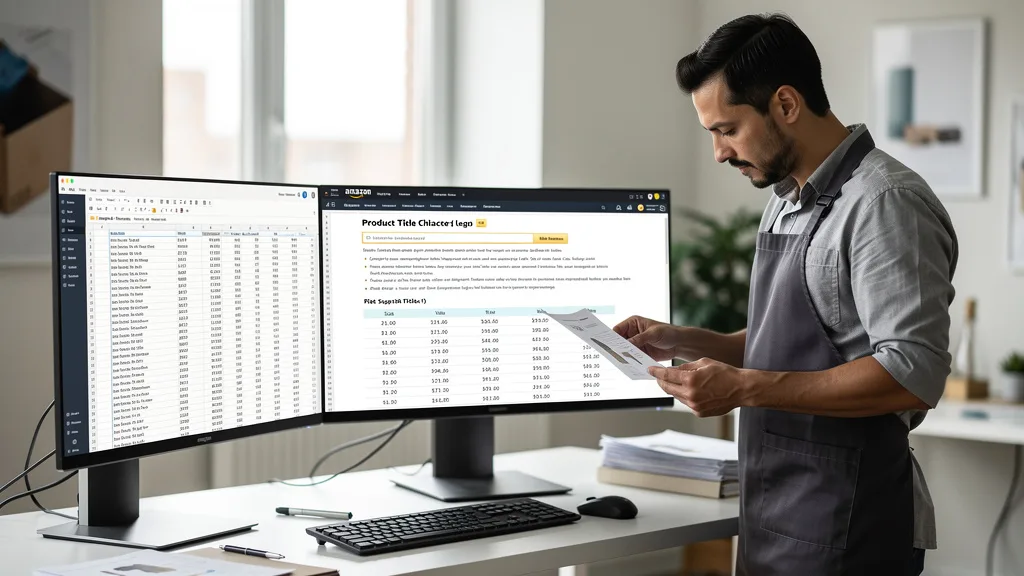
Is your Amazon product title costing you sales without you even realizing it? A title that is too long, too short, or poorly structured can be suppressed by Amazon's algorithm or ignored by shoppers, directly impacting your visibility and revenue. Mastering your title's character count is a foundational step to ranking higher and converting more customers on the world's largest marketplace.
Using an Amazon character counter is the most effective way to optimize your product title length. This involves understanding category-specific limits (typically around 200 characters), front-loading high-value keywords for mobile visibility (under 80 characters), and using free online tools or Seller Central's built-in checker to ensure compliance. A well-optimized title improves discoverability, click-through rates, and ultimately, sales performance on the platform in 2026.
Your Amazon product title is arguably the most important piece of real estate on your listing. It's the first thing customers see in search results and a primary factor in both Amazon's search algorithm and a customer's decision to click. An unoptimized title can lead to suppressed listings, meaning your product won't even appear in search results, effectively making it invisible to potential buyers. Adhering to the character count isn't just about following rules; it's about maximizing your product's discoverability.

Beyond simple visibility, a well-crafted title directly influences your click-through rate (CTR). A title that is clear, concise, and informative gives shoppers the confidence to click on your product over a competitor's. If your title is truncated awkwardly on mobile devices or stuffed with so many keywords that it becomes unreadable, customers will scroll right past it. Every character counts towards creating a compelling headline that captures attention and drives traffic to your page, which is the first step in converting a search into a sale.
Amazon Character Limits for 2026: A Complete Guide
Navigating Amazon's character limits can feel complex, as they can vary by category and placement. However, understanding the general guidelines for titles, bullet points, and backend keywords is essential for creating a fully optimized listing. As of 2026, Amazon continues to enforce these limits strictly to maintain a consistent and positive customer experience. Staying within these boundaries ensures your listing remains active and effective.

The table below provides a quick reference for the most important character limits you'll encounter when building or updating your Amazon product listings. Remember that these are general guidelines, and it's always best to check the specific style guide for your product's category for any unique requirements.
| Listing Element | General Character/Byte Limit | Key Optimization Tip |
|---|---|---|
| Product Title | Under 200 characters | Front-load main keywords; keep under 80 characters for mobile. |
| Bullet Points (Features) | ~200-250 characters per point | Use all five points to detail benefits and use cases. |
| Backend Search Terms | Under 250 bytes (not characters) | Include synonyms, related terms, and common misspellings. |
| Brand Name | Up to 50 characters | Must match your registered brand name exactly. |
Product Title Limits by Category
While Amazon's general recommendation is to keep product titles under 200 characters, this is not a universal rule. Some categories may have shorter limits, for instance, Apparel or certain electronics may have stricter guidelines to ensure uniformity. If you exceed the category-specific limit, Amazon may suppress your listing from search results or truncate the title, removing valuable information.
To find the exact limit for your category, you should always consult the category-specific style guide within Amazon Seller Central. These documents provide the most accurate and up-to-date information. Ignoring these guidelines is a common mistake that can lead to lost visibility and sales, making it a critical check in your listing optimization process.
Bullet Point (Key Product Features) Limits
The bullet points, or "Key Product Features," are your opportunity to expand on the information in your title. Generally, Amazon allows for five bullet points, and each can have a character count of around 200 to 250 characters. This provides ample space to highlight the main benefits, features, materials, and use cases for your product.
It's crucial to use this space wisely. Instead of just listing features, frame them as benefits that solve a customer's problem. A well-written set of bullet points can significantly improve your conversion rate. Ensure you use the available character count to be descriptive and persuasive without creating dense, unreadable blocks of text.
Backend Search Term Character Counts
Backend search terms are keywords that you add to your listing in Seller Central that are not visible to customers. These terms help Amazon's algorithm understand what your product is and when to show it in search results. For 2026, the limit for the main search term field is typically under 250 bytes, not characters. It's an important distinction because some special characters can take up more than one byte.
Do not repeat keywords that are already in your title or bullet points. Use this space for synonyms, related terms, common misspellings, and long-tail keywords that customers might use to find your product. Maximizing this space with relevant terms is a key component of a complete Amazon SEO strategy.
Mobile vs Desktop Display Considerations
A significant portion of Amazon shoppers browse and buy on their mobile devices. On the Amazon mobile app or website, product titles are often truncated to around 70-80 characters. This means that if your most important keywords and information are at the end of a long title, mobile shoppers will never see them.
This makes front-loading your title absolutely critical. Your title's first 80 characters should contain the most essential information: the brand, the core product identity, the main material or feature, and the primary keyword. This ensures that even on a small screen, customers can immediately understand what your product is and why it's relevant to their search.
How to Check Your Amazon Title's Character Count
Accurately checking your title's character count is a simple but vital task. Relying on guesswork can lead to suppressed listings or poorly optimized titles. Fortunately, there are several easy and free methods to ensure your title meets Amazon's guidelines and is structured for maximum impact.

Whether you prefer using a quick online tool, checking directly within Seller Central as you work, or managing listings in bulk with a spreadsheet, integrating a character count check into your workflow is essential. Each method has its own advantages depending on your specific needs and how many listings you manage.
Using a Free Online Character Counter Tool
One of the quickest ways to check your title length is by using a free online character counter. These web-based tools are straightforward: you simply copy your proposed title from a document and paste it into the tool's text box. It will instantly give you a real-time character count, including spaces and punctuation.
Many of these tools are designed specifically for e-commerce, with some even offering a visual gauge for different platforms like Amazon, Google, and eBay. A good listing character counter can save you significant time and help you draft multiple title variations efficiently. For advanced analysis, an Amazon Title Checker with mobile preview can show you exactly how your title will appear on different devices.
Checking Directly Within Amazon Seller Central
Amazon's own platform provides a way to check your character count as you create or edit a listing. When you go to the "Edit Product Info" page for one of your ASINs, the product title field often displays a character limit or a warning if you go over the allowed length for that specific category.
This method is the most authoritative, as it reflects the exact rules being applied to your listing in real-time. While it might not be as fast for drafting multiple options, it's the perfect final check before you save and publish your changes. Always defer to the information provided within Seller Central to ensure compliance.
Using Spreadsheet Formulas for Bulk Checks
If you manage a large catalog of products, checking titles one by one is inefficient. Using a spreadsheet program like Microsoft Excel or Google Sheets is a powerful way to manage and check character counts in bulk. You can list all your product titles in one column and use a simple formula to calculate the length.
In the adjacent column, simply enter the formula `=LEN(A1)`, where `A1` is the cell containing your first product title. You can then drag this formula down the column to instantly calculate the character count for every title in your list. This method is ideal for audits and for preparing new product uploads in bulk.
Best Practices for Optimizing Your Amazon Title Length
Simply staying within the character limit is not enough. A truly optimized title is strategic, readable, and persuasive. Following best practices for title construction will not only keep your listing compliant but will also significantly improve its performance in search and drive higher click-through rates.
"Your Amazon title is your digital handshake. In 2026, a great title doesn't just use an Amazon character counter to stay under the limit; it uses every character to build trust, communicate value, and convince a shopper to click. Get it right, and the algorithm will reward you."

Effective title optimization is a blend of art and science. It requires understanding both the technical requirements of Amazon's algorithm and the psychological triggers that make a human shopper want to learn more about your product. From keyword placement to readability, every element plays a role.
Placing High-Value Keywords Strategically
The placement of keywords within your title matters immensely. Amazon's algorithm gives more weight to the words at the beginning of your title. Therefore, your most important, high-volume keyword should appear as close to the front as possible, ideally after the brand name.
Your title structure should follow a logical hierarchy, such as: [Brand Name] + [Main Keyword/Product Type] + [Key Feature 1] + [Key Feature 2] + [Size/Color/Quantity]. This formula ensures that the most critical information is indexed heavily by Amazon and is immediately visible to shoppers, especially on mobile devices.
Improving Readability to Boost Click-Through Rates
A title packed with keywords but difficult to read will not perform well. Shoppers are human, and they scan for information that makes sense. Use separators like pipes (|), hyphens (-), or commas (,) to break up different elements of your title and make it easier to digest at a glance.
Use title case (capitalizing the first letter of most words) for a professional look, but avoid using all caps, which is against Amazon's style guidelines and can appear aggressive to shoppers. The goal is to create a title that is both keyword-rich for the algorithm and clean and readable for the customer.
Following Amazon's Title Style Guidelines
Amazon has a specific set of rules for what you can and cannot include in your product titles. Violating these rules can get your listing suppressed. Prohibited elements include promotional messaging (e.g., "Sale," "Best Seller," "Free Shipping"), subjective commentary (e.g., "Amazing Product"), and using special characters or symbols (e.g., ™, ©, !).
Always stick to factual information about the product itself. Regularly reviewing Amazon's style guidelines is a crucial part of maintaining a healthy seller account. A comprehensive Amazon listing optimization process always includes a compliance check against these rules to avoid any potential penalties.
Common Mistakes to Avoid with Product Title Optimization
While optimizing your title, it's easy to fall into common traps that can hurt your listing's performance. Avoiding these mistakes is just as important as following best practices. A single error can undermine all your keyword research and optimization efforts.
- Keyword Stuffing: Jamming as many keywords as possible into your title makes it unreadable and can be penalized by Amazon. Focus on a few high-value keywords and integrate them naturally.
- Ignoring Mobile Truncation: Placing your most important keywords at the end of a 200-character title is a major error. Always front-load critical information for the 70-80 character mobile view.
- Using All Caps or Promotional Language: Shouting at customers with all-caps text or using prohibited phrases like "Best Seller" or "On Sale" is a direct violation of Amazon's terms of service.
- Exceeding Character Limits: The most basic mistake is simply making your title too long. This will lead to suppression, and your product will not be visible in search until you fix it.
- Not Using Separators: A long string of words without any pipes, hyphens, or commas is a wall of text that shoppers will ignore. Use separators to improve readability and structure.
Key Takeaways
Mastering your Amazon product title is a high-impact activity that directly influences your visibility, traffic, and sales. By focusing on character counts and strategic optimization, you can gain a significant competitive edge. Here are the most important takeaways for 2026:
- Adhere to Limits: Always stay within Amazon's character limits (generally under 200 for titles) to avoid listing suppression. Use an Amazon character counter to verify.
- Prioritize for Mobile: Place your brand name and primary keywords within the first 70-80 characters to ensure they are visible on mobile devices where most shoppers browse.
- Balance Keywords and Readability: Your title must serve both the Amazon algorithm and human shoppers. Integrate keywords naturally and use separators to create a clean, easy-to-read title.
- Use Available Tools: Leverage free online character counters, spreadsheet formulas, or the built-in checker in Seller Central to make title optimization an efficient and accurate part of your workflow.
- Avoid Prohibited Content: Never include promotional phrases, subjective claims, or all-caps text in your title, as this violates Amazon's style guidelines.
Frequently Asked Questions
What happens if my Amazon product title is too long?
If your Amazon product title exceeds the character limit for its category, Amazon will likely suppress the listing. This means your product will not appear in customer search results or browse pages, making it effectively invisible. You will need to edit the title and shorten it to the compliant length to reactivate the listing.
In some cases, instead of suppression, Amazon might simply truncate the title on the backend, cutting off the excess characters. This is also detrimental as it removes potentially valuable keywords and product information, hurting both your SEO and your ability to convert customers.
What is the recommended title length for general web SEO?
For general web SEO, such as for Google search results, the recommended title tag length is different from Amazon's. Google typically displays the first 50-60 characters of a page title. Anything longer will likely be cut off with an ellipsis (...) in the search engine results pages (SERPs).
Therefore, for blog posts or website pages, it is best practice to keep your title tag under 60 characters to ensure the full title is displayed. You can use a Free SEO Title Length Checker to verify both character and pixel width, as Google's limit is technically based on pixels.
Do Amazon character counts include spaces and punctuation?
Yes, Amazon's character counts almost always include spaces and punctuation. Every single letter, number, space, and symbol (like a comma or a hyphen) contributes to the total character count. This is a critical detail to remember when crafting your title to fit within the 200-character limit.
When using an online character counter or a spreadsheet formula like `=LEN()`, these tools automatically count spaces and punctuation, giving you an accurate total. Always assume every keystroke counts towards the limit.
Are there tools to check my Amazon title against all guidelines?
Yes, there are many third-party software tools and services designed specifically for Amazon sellers that go beyond a simple character count. These platforms can analyze your title for compliance with Amazon's style guidelines, check for prohibited words or phrases, and even offer keyword suggestions.
These advanced tools can also show you a preview of how your title will look on desktop and mobile devices. While a free character counter is great for length, a dedicated Amazon listing optimization tool provides a more comprehensive check to ensure your title is fully compliant and effective.
How often do Amazon's character limits change?
Amazon's character limits and style guidelines can and do change, although major shifts are not extremely frequent. Amazon may update these rules to improve the customer experience, adapt to new shopping behaviors, or enforce uniformity across a category. Changes are often announced in Seller Central news updates.
Because these rules can evolve, it is a best practice to periodically review the style guide for your main categories, at least once or twice a year. Staying informed ensures your listings remain compliant and you are not caught off guard by a sudden change that could lead to suppressed listings.
Conclusion
In 2026, effectively using an Amazon character counter is a non-negotiable skill for any serious seller. Optimizing your title length is not just about avoiding suppression; it's a strategic lever for improving visibility, click-through rates, and ultimately, your bottom line. By understanding the limits, prioritizing for mobile, and balancing keywords with readability, you can craft titles that win with both Amazon's algorithm and your customers. Make title optimization a core part of your listing management routine to ensure you are capturing every possible sale.
A well-optimized listing is the foundation of a successful Amazon business. If you're unsure whether your titles, bullet points, and images are fully compliant and built to convert, a professional review can uncover hidden opportunities. Get an expert analysis of your listing to identify areas for improvement and unlock your product's true potential. Take the first step towards higher rankings and more sales today with a Free Audit.