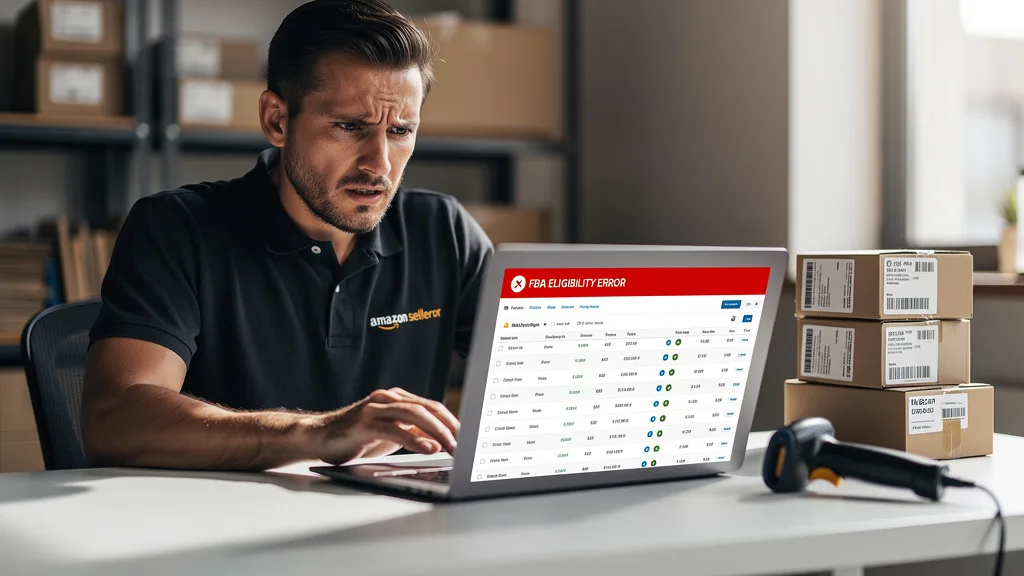
Are you trying to replenish inventory only to be blocked by a frustrating "ineligible for FBA" message? These cryptic errors can halt your sales, strand your inventory, and consume countless hours dealing with Seller Support. For a 7-figure brand aiming to scale, these roadblocks are more than an inconvenience; they are a direct threat to your revenue and growth momentum.
Amazon FBA eligibility errors are system flags that prevent your products from being stored or fulfilled through Amazon's network, even if the ASIN is active. These errors are typically caused by data conflicts, policy restrictions, or inbound shipment problems. Fixing them requires identifying the specific error in Seller Central, gathering documentation, and opening a precise case with the correct internal team, which can often be a complex process to navigate.
What Are Amazon FBA Eligibility Errors and What Causes Them?
An Amazon FBA eligibility error is a specific status that blocks an ASIN from being processed through the Fulfillment by Amazon network. This means you cannot create new inbound shipments for the product, and any existing inventory at fulfillment centers may become stranded. Unlike a full listing suppression where the product page is hidden from customers, an eligibility error specifically targets your ability to use the Amazon FBA service for that item. You might still be able to sell it via Fulfilled by Merchant (FBM).
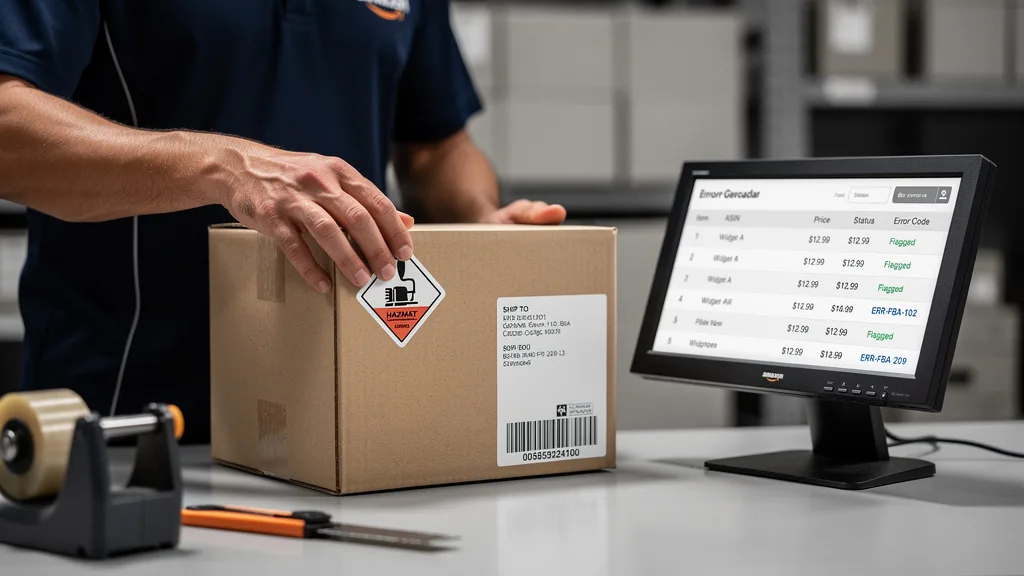
The core cause is almost always a data discrepancy or a policy flag within Amazon's vast and interconnected systems. When one part of the system, like the hazmat team, flags a product, but the catalog data doesn't reflect that status, an error occurs. These conflicts leave your product in a state of limbo, where it's not fully restricted but is also not fully eligible for FBA, leading to significant operational headaches and lost sales opportunities until resolved.
Understanding the Impact on Your FBA Inventory
The most immediate impact of an eligibility error is on your supply chain and cash flow. When you can't send in more stock, you risk stocking out, which harms your sales velocity and Best Seller Rank (BSR). A lower BSR means less visibility and fewer organic sales, creating a downward spiral that can be difficult to recover from. Your Inventory Performance Index (IPI) can also suffer if the issue leads to stranded inventory that you cannot sell or remove promptly.
Furthermore, these errors can strand valuable inventory that is already at an Amazon fulfillment center. This stock becomes unsellable and starts accumulating storage fees. If the error is not fixed in a timely manner, you may be forced to create a removal order, incurring additional costs and logistical challenges to get your products back. For high-volume sellers, this can represent thousands of dollars in tied-up capital and fees.
Common Triggers for Eligibility Flags
Several common issues can trigger an FBA eligibility flag on your account. Often, these are automated flags that are tripped by bots scanning product detail pages or backend information for potential violations or inconsistencies. For example, using certain keywords in your listing, like "antibacterial" or "pesticide," can trigger a review by the restricted products team, even if your product is compliant.
Another frequent trigger is related to inbound shipment problems. If you repeatedly send products that are improperly prepped, labeled incorrectly, or have other receiving issues, Amazon's system may flag the ASIN as temporarily ineligible. Changes in product classification, such as a product being newly designated as hazmat (hazardous material) or an item moving into a gated category, are also primary causes for these sudden and disruptive eligibility errors.
Common Types of FBA Eligibility Errors
Navigating FBA eligibility issues requires you to first understand the specific type of error you are facing. While the symptom is always the same, the inability to replenish inventory, the root causes vary significantly. Identifying the correct problem is the first and most critical step toward finding a swift resolution and getting your product back on track for FBA fulfillment.
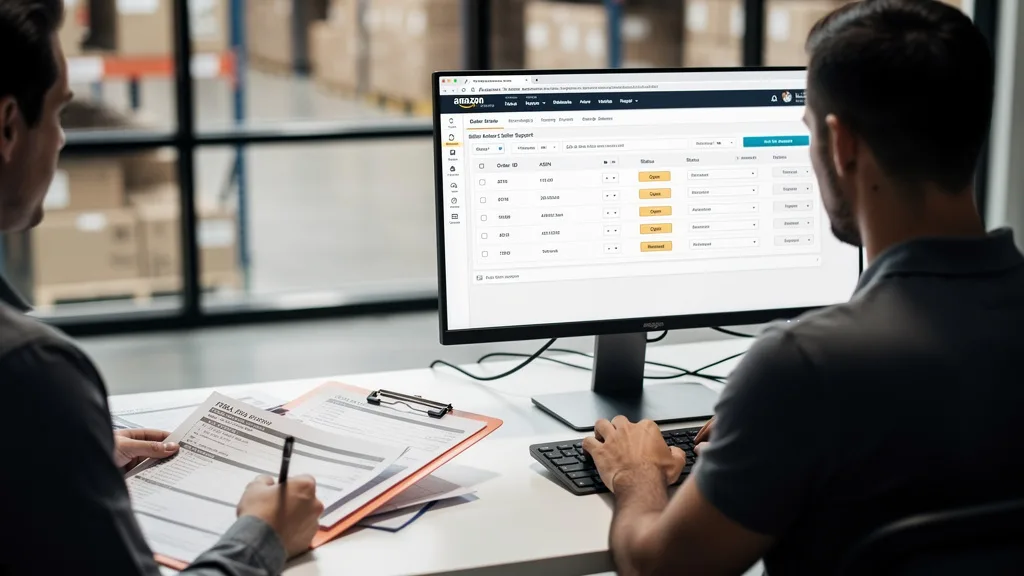
These problems range from simple data mismatches to complex compliance reviews involving specialized internal teams at Amazon. Each type demands a different set of documentation and a unique approach when communicating with Seller Support. Below is a breakdown of the most common eligibility errors that 7 and 8-figure sellers encounter and what they typically entail.
| Error Type | Common Cause | First Step to Fix |
|---|---|---|
| Restricted Product / Hazmat | Automated bots flag keywords; incorrect product classification. | Submit a Safety Data Sheet (SDS) or an exemption sheet. |
| Inbound Shipment Error | Incorrect labeling, packaging, or repeated receiving problems. | Review Voice of the Customer (VOC) and inbound performance reports. |
| ASIN Not Active / No FBA Offer | Listing is suppressed or the FBA SKU was accidentally deleted. | Check the 'Fix Your Products' page and ensure an FBA offer exists. |
| Conflicting System Information | Data mismatch between different Amazon internal databases. | Open a case with Seller Support requesting a catalog sync or refresh. |
Restricted Product and Hazmat Status Issues
One of the most frequent causes of FBA eligibility errors is a product being flagged as a restricted item or a hazardous material (hazmat). This can happen suddenly, even to products you have sold for years. Often, an algorithm flags a word in your title, bullet points, or description, such as "battery" or "flammable," and automatically triggers a compliance review. Your listing becomes ineligible until you can prove it is compliant.
To resolve this, you typically need to provide documentation. For hazmat reviews, this means submitting a Safety Data Sheet (SDS) from the manufacturer or, if your product is not hazardous, a completed exemption sheet. For restricted products, you may need to provide compliance documents, certificates, or proof that your product does not fall under the restricted category. The key is to respond quickly through the appropriate workflow in Seller Central.
Inbound Shipment and Receiving Errors
Amazon's fulfillment centers are highly automated, and they rely on strict adherence to preparation and packaging guidelines. If your shipments consistently have problems, such as unscannable barcodes, missing FNSKU labels, or products that are not properly poly-bagged, Amazon may flag the FBA ASIN as ineligible for future shipments. This is a protective measure to reduce receiving delays at the fulfillment center.
To fix this, start by checking your Inbound Performance report and your Voice of the Customer (VOC) dashboard for feedback related to packaging or product condition. Address the root cause of the problem in your prep process. Once you have a plan in place to correct the issue, you can open a case with Seller Support, explain the corrective actions you have taken, and request that the eligibility be reinstated.
ASIN Not Active or Missing an FBA Offer
Sometimes the issue is simpler: the ASIN itself is not active, or there is no FBA offer linked to it in Amazon's system. A listing can become inactive or suppressed for various reasons, such as a missing main image, a title that is too long, or other quality alerts. You can check for these issues on the "Fix Your Products" page under the Inventory tab in Seller Central.
It's also possible that your FBA SKU was accidentally deleted or archived. Without an active FBA offer, the system will show the item as ineligible for FBA because there is no corresponding offer to send inventory against. To fix this, you can either relist the item using the same SKU or go to your Manage Inventory page and use the "Add another condition" option to create a new FBA offer for the existing ASIN.
Conflicting Information in Amazon's System Records
This is one of the most frustrating types of errors because the cause is hidden within Amazon's backend. Your listing might appear perfect on your end, but conflicting data in two different Amazon databases, for instance, the catalog data versus the FBA fulfillment data, can create an eligibility block. This often manifests as an error message that makes no sense, like being told a product is the wrong size when it has been sold for years with the same dimensions.
Resolving these conflicts requires intervention from Seller Support. You will need to open a case and specifically ask for a "catalog refresh" or for the case to be escalated to a catalog specialist. Provide the ASIN and clearly state the error you are seeing and why you believe it is due to conflicting system records. This often requires persistence, as first-level support may not have the tools to resolve these deeper data sync issues.
A Step-by-Step Guide to Fixing FBA Eligibility Errors
When an eligibility error strikes, a methodical and documented approach is the fastest way to a resolution. Panicking or opening multiple generic cases will only slow down the process and create more confusion within Amazon's support system. By following a clear set of steps, you can present your case professionally and increase your chances of reaching the correct internal team quickly.
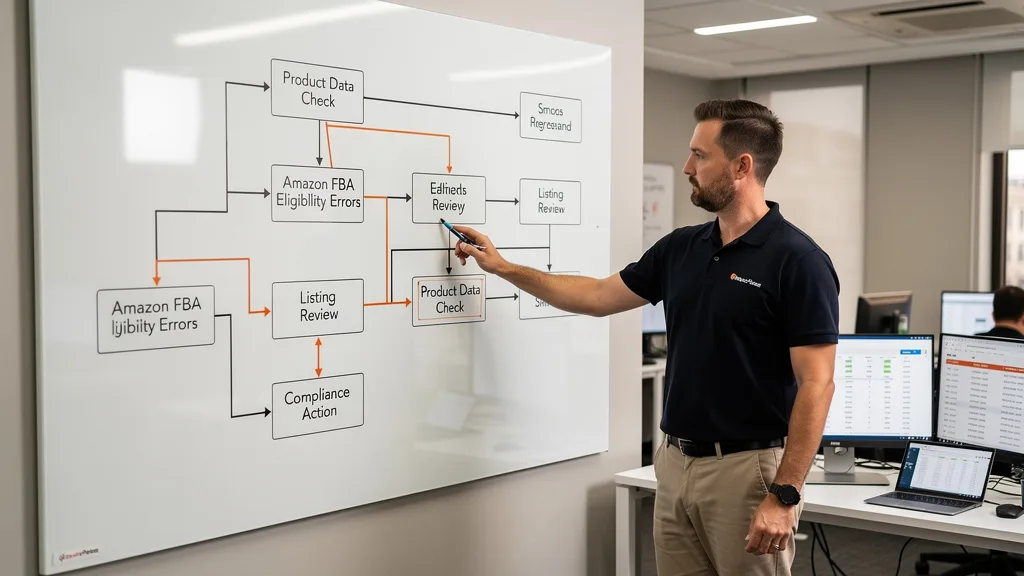
This process involves correctly identifying the problem, gathering the right evidence, communicating effectively, and knowing when to escalate. Mastering this workflow is a crucial skill for any serious Amazon seller looking to minimize downtime and protect their revenue streams from unexpected disruptions.
Step 1: Identify the Specific Error Message in Seller Central
Your first step is to become a detective. Go to the "Add a Product" tool in Seller Central and try to add the ASIN to a new shipping plan. Do not create the plan, just go through the steps. The system will usually provide a more specific error message than the generic "ineligible for FBA" notification. It might say "This product is under hazmat review" or "You must be approved to sell in this category."
Take a screenshot of this specific error message. Also, check the "Fix Your Products" page and your Performance Notifications for any related alerts. Having the exact error and a screenshot gives you a concrete piece of evidence to start your investigation and to include in your case with Seller Support, preventing them from giving you a generic, unhelpful response.
Step 2: Gather Necessary Documentation and Evidence
Once you know the specific error, gather all relevant documentation. This is where you build your case. If it's a hazmat issue, find the manufacturer's SDS or fill out an exemption form. If it's a restriction based on a product claim, find the part of your listing that may have triggered it and be prepared to remove it. If it is a suspected data conflict, gather screenshots of the correct product details from your end.
Think like a lawyer preparing for court. Your evidence should be clear, concise, and directly address the error. This might include invoices to prove authenticity, compliance certificates, photos of the product and its packaging, or a detailed explanation of why the flag is incorrect. The more prepared you are, the faster the support agent can understand and act on your request.
Step 3: Open an Effective Case with Seller Support
Now it's time to contact seller support. Avoid using the generic "investigate an issue" pathway. Instead, try to find the most relevant category for your problem. When you write your case, be professional, clear, and concise. Start with a clear summary: "ASIN [Your ASIN] is incorrectly flagged as ineligible for FBA. I am requesting reinstatement."
In the body of the case, list the facts. State the error message you received. Attach all the evidence you gathered in Step 2. Clearly explain why the flag is an error and what you have already done to troubleshoot. End with a specific request, such as "Please remove the hazmat flag" or "Please escalate this case to the catalog team to resolve the data conflict." A well-structured case is more likely to be routed to the correct internal team on the first try.
Step 4: Follow Up and Escalate When Your Case Stalls
Unfortunately, not all cases are resolved on the first attempt. If you receive a generic, unhelpful response or if your case keeps getting closed without resolution, you need to be persistent. Respond to the case immediately, stating that your issue is not resolved and asking for it to be reopened and escalated. Use phrases like "Please escalate this case to a manager or a US-based specialist."
If the case is going in circles, you can try opening a new case but reference the old case ID and explain why the previous attempts failed. In some situations, requesting a call can be more effective, as it allows you to explain the nuance of the issue directly. The key is to remain professional but firm and to keep a detailed log of your interactions, including case IDs and the names of the agents you spoke with.
How to Resolve Persistent or Complex Listing Errors
Sometimes, you follow all the steps correctly, but your case still gets stuck in a loop. You might receive the same templated response over and over, or the case gets transferred between teams with no one taking ownership. These persistent listing errors can be incredibly damaging to a business, and resolving them requires a different level of strategy and escalation.

This is often a sign of a deeper, more complex issue, such as a corrupted ASIN, a locked data attribute, or a conflict between international marketplaces. Getting past this requires you to bypass the standard support channels and find a way to reach the specific internal team that has the authority and tools to fix the root problem.
Navigating Cases That Get Routed in Circles
When your case keeps getting routed in circles, the first step is to stop the cycle. Instead of just replying "this is not resolved," you need to change your approach. In your reply, explicitly state which teams have already reviewed the case and failed to resolve it. For example: "This case has been reviewed by the FBA team and the catalog team, but the issue persists. The problem is not with my FBA settings or the catalog data I can see. Please escalate to a senior technician who can analyze backend data conflicts."
This shows the new agent that you have already been through the standard troubleshooting and that a generic solution will not work. It forces them to read the case history and consider a different path. Referencing the previous case IDs and summarizing the failed attempts helps the next person understand the full context without having to spend an hour reading through the entire history.
Reaching the Correct Internal Team for Your Issue
If standard escalations fail, you may need to find alternative ways to get the attention of the team responsible. One effective tactic is to post a concise, professional summary of your issue on the Amazon Seller Forums. State the ASIN, the original case ID, and the fact that the issue has been unresolved for a specific period. Ask if a moderator can point you to the correct resolution path or escalate the case internally.
Amazon moderators on the forums often have the ability to forward cases directly to senior investigators or the appropriate internal teams. This can break the logjam that standard Seller Support is unable to. Be sure your post is well-written and contains all the relevant details, as this is your chance to get a fresh set of expert eyes on your problem.
Proactive Strategies to Avoid Future Eligibility Problems
While knowing how to fix eligibility errors is crucial, the best strategy is to prevent them from happening in the first place. Proactive account management and listing hygiene can save you hundreds of hours and thousands of dollars in lost sales. By implementing a few key routines, you can minimize your risk of being blindsided by these disruptive errors.
These strategies focus on maintaining data integrity, staying compliant with Amazon's ever-changing policies, and conducting regular health checks on your listings. This defensive approach is a hallmark of successful 8-figure sellers who understand that protecting their operational stability is just as important as driving sales.
"Proactive listing audits aren't just about avoiding errors; they are about protecting your cash flow. An hour of prevention is worth a week of fighting a stalled case with Seller Support. For any brand serious about scaling on Amazon, this is non-negotiable."
Conducting Regular Amazon Listing Audits
Set a schedule, perhaps monthly or quarterly, to audit your top-selling ASINs. During this audit, review every part of your listing, from the title and bullet points to the backend keywords and product description. Look for any words or claims that could be misinterpreted by Amazon's bots. For example, words like "mold-resistant," "pesticide-free," or medical claims can all trigger restrictions.
This is a core component of a strong Amazon SEO strategy, but with a focus on compliance. Compare your listings against Amazon's style guides and restricted product policies to ensure you are fully compliant. By catching and removing potentially problematic language before Amazon's bots do, you can prevent many eligibility flags from ever being raised.
Maintaining Accurate and Consistent Product Data
Data consistency is paramount on Amazon. Ensure that the product information in your Seller Central account is accurate and matches across all fields. This includes dimensions, weight, category, and item attributes. A common error occurs when the dimensions listed on the FBA settings page do not match the dimensions on the product detail page.
If you update your product's packaging, make sure you update the dimensions and weight in Seller Central immediately. Use a flat file (inventory loader file) to perform a full update on your listing periodically. This can help override any incorrect data that may be stuck in Amazon's system and ensures that all attributes are consistent, reducing the risk of data-conflict errors.
Staying Informed on Amazon's Policy Updates
Amazon's policies are not static; they change constantly. What was compliant last year might be a violation in 2026. Make it a habit to regularly review the headlines in Seller Central for news and policy updates. Pay close attention to changes related to restricted products, FBA prep requirements, and category-specific rules.
Subscribing to industry newsletters and participating in seller communities can also help you stay ahead of major policy shifts. When Amazon announces a new requirement, for example, for compliance documentation in a certain category, be proactive in submitting your documents. This proves to Amazon that you are an engaged and compliant seller, which can build trust and potentially reduce the scrutiny on your account.
Key Takeaways
Successfully managing an Amazon business means being prepared to handle operational hurdles like FBA eligibility errors. These issues can disrupt your sales and tie up your capital, but they are almost always fixable with a systematic approach. Understanding the root cause is the first step to resolving the problem efficiently.
- Identify the Specific Error: Don't rely on the generic "ineligible" message. Use the Add a Product workflow to get the specific reason and take a screenshot as evidence.
- A Structured Case is Key: When contacting Seller Support, provide a clear summary, attach all relevant documentation (like an SDS or photos), and state a specific, actionable request.
- Escalate Intelligently: If your case stalls, don't just reply with frustration. Summarize the failed attempts and ask for an escalation to a specialist or use the Seller Forums for moderator assistance.
- Prevention is the Best Fix: The ultimate solution to Amazon FBA Eligibility Errors and How to Fix Them is prevention. Conduct regular listing audits, maintain accurate product data, and stay informed on Amazon's policy changes to minimize your risk of future disruptions.
Frequently Asked Questions
How long does it typically take to resolve an FBA eligibility error?
The resolution time for an FBA eligibility error can vary widely. Simple issues, like submitting a hazmat exemption sheet for a clearly non-hazardous product, may be resolved in 24 to 72 hours. However, more complex problems, such as backend data conflicts or issues requiring review from multiple internal teams, can take weeks or even months to fix.
The speed of resolution often depends on the quality of your initial case and the evidence you provide. A clear, well-documented case is more likely to be resolved quickly. Persistent follow-up and knowing when to escalate are key to shortening the timeline for more difficult cases.
Can I sell a product via FBM if it has an FBA eligibility error?
Yes, in most cases, you can. An FBA eligibility error specifically blocks your ability to use the Fulfillment by Amazon network for that ASIN. It does not typically restrict you from selling the product altogether. You can create a Fulfilled by Merchant (FBM) offer for the same ASIN and continue selling the product while you work on resolving the FBA issue.
This is a crucial strategy to maintain sales velocity and cash flow. Simply go to your Manage Inventory page, find the ASIN, and use the dropdown menu to "Add another condition." Create a new SKU with the fulfillment channel set to "Merchant Fulfilled." This allows you to keep selling without interruption.
What is the difference between a listing restriction and an FBA eligibility error?
A listing restriction (or suppression) is when your product detail page is made inactive or hidden from customer view on Amazon. This is often due to missing information like a main image or non-compliance with title guidelines. An FBA eligibility error is different; the listing is often still visible to customers, but you are blocked from sending inventory to FBA fulfillment centers.
Think of it this way: a listing restriction means customers can't see or buy your product at all. An FBA eligibility error means customers can see it, and you can sell it via FBM, but you cannot use Amazon's warehouse and shipping services for that specific item. Both are serious issues, but they affect your business in different ways.
Will Amazon dispose of my inventory if I can't fix an eligibility error?
If you have inventory for an ASIN that becomes ineligible for FBA, that inventory becomes "stranded." Amazon will not immediately dispose of it. You will receive notifications about your stranded inventory and will be given a deadline, typically 30 days, to either fix the listing issue or create a removal order to have the inventory returned to you or sent to a third-party location.
If you fail to take action by the deadline, Amazon reserves the right to dispose of your inventory. Therefore, it's critical to monitor your Stranded Inventory report and act quickly. Disposing of inventory should always be a last resort, as you lose the entire cost of the goods.
What should I do if Seller Support keeps closing my case without a resolution?
If Seller Support repeatedly closes your case without a proper resolution, you need to escalate. First, reopen the case and politely but firmly state that the issue is not resolved and that you require an escalation to a team lead or a US-based catalog specialist. If this fails, your next best step is to use the Amazon Seller Forums.
Create a new post in the relevant forum category, clearly explaining the problem, the ASIN, the original case ID, and the fact that it keeps being closed. A forum moderator often has the power to escalate the issue internally to a team that can actually solve the problem, bypassing the frustrating loop of standard support.
Conclusion
Mastering the process for handling Amazon FBA Eligibility Errors and How to Fix Them is an essential skill for any brand serious about scaling on the platform. These errors are an inevitable part of the Amazon ecosystem, but they don't have to derail your growth. By adopting a systematic, evidence-based approach to problem-solving and implementing proactive strategies to maintain listing health, you can minimize disruptions and protect your revenue, ensuring your business maintains its upward trajectory.
Struggling with persistent listing errors that are costing you sales and wasting your time? Our team specializes in diagnosing and resolving these complex FBA and catalog issues for 7 and 8-figure brands. We dig deep to find the root cause and get your products back online. Get a comprehensive review of your most problematic listings with a Free Audit.